


HWiNFO (32/64)
329 likes
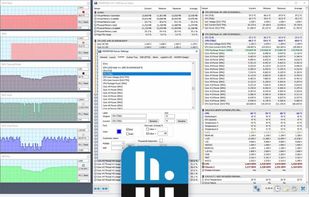
Designed for Windows, this tool provides real-time temperature monitoring and extensive hardware diagnostics. Suitable for technical experts, manufacturers, and system integrators with report export capabilities.

Cost / License
- Free Personal
- Proprietary
Application typeApplication types
 EU
EUPlatforms
- Windows
- PortableApps.com


Features
HWiNFO (32/64) News & Activities
Highlights All activities
Recent News
- POX published news article about HWiNFO (32/64)
 HWiNFO 8.0 released with enhanced hardware monitoring, improved features, and bug fixes
HWiNFO, the comprehensive hardware analysis, monitoring, and reporting software for Windows, has la...

Recent activities
 Marian-Nae added HWiNFO (32/64) as alternative to TrayTemps
 Obscrum added HWiNFO (32/64) as alternative to PC HW Monitor
 Danilo_Venom added HWiNFO (32/64) as alternative to ACTVT
- jmwilkes76 liked HWiNFO (32/64)
- heheudueueh liked HWiNFO (32/64)
- gianni-bram liked HWiNFO (32/64)
 ilikemacos added HWiNFO (32/64) as alternative to MacBar
 Fla added HWiNFO (32/64) as alternative to Tray Monitor
- sredfred liked HWiNFO (32/64)
 POX added HWiNFO (32/64) as alternative to MenuBarMonitor


Featured in Lists

This is the apps for Windows 11 that I would recommend to anyone who just got a PC ! The same list...
List by Darlene Sonalder with 142 apps, updated

Must have
List by Faradeus with 71 apps, updated

This is going to be a list of the free tools/software that can be used mostly in any field. it's based on websites...
List by tameresa with 138 apps, updated
What is HWiNFO (32/64)?
HWiNFO (32/64) information
Developed by
 REALiX, s.r.o.
 Licensing
Proprietary and Free Personal product.Pricing
One time purchase (perpetual license) ranging between $29 and $129.Rating
Average rating of 4.3Alternatives
123 alternatives listedBadge
Get an embeddable badge for HWiNFO (32/64)Supported Languages


Comments and Reviews
Free and very detailed. I think this program for expert or overclockers.
Used to be my go-to utility for some detailed system monitoring in the software itself, but mostly to reliably provide system monitoring variables to other software Rainmeter/Samurize/etc.
But, the developer decided to add a 12-hour limitation to the "Shared Memory Support"-feature which a lot of these latter programs rely on. The implementation and communication around this limitation was in my opinion handled very poorly, and helped killed off many good 3rd party solutions that relied on this feature to function.
Instead of rewriting a ton implementations to function with the new and poorly documented workaround method, I've gone with some of the other, open-source alternatives suggested here. Don't think I'll be looking back anytime soon.
One of the best applications to get very detailed hardware information on Windows platform. It reports information about virtually all devices contained and connected to a computer, both the hardware itself and also firmware and river information.
portable and efficient
Closed-source blinking dashboard with concerning incentives to pay. I guess it sorts of appeal to tuning freaks, so if you love glowing mobos, neon’d chassis and rainbowing graphical cards, I guess this is the tool for you. Otherwise I suggest looking for open source alternatives that focus on the only thing this is actually good at: monitoring hardware.
This is a great tool! It allows you to access various useful data about your PC's performance and health.
One of my essential pieces of software.