



Transfer
1 like
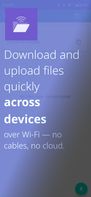
A simple local file server app for Android. Download and upload files quickly across devices over Wi-Fi — no cables, no cloud.

+3


Features
- Ad-free
- Works Offline
- No registration required
- Dark Mode
- Command line interface
- Supports Zip files
- Direct file uploading
- Local network sharing
- Large File Transfer
- Local server
- Secure File Sharing
- Password protection
- Local Network Connection
Tags
- File Upload
- File transfer
- curl
- file-server
- File Sharing
Transfer News & Activities
Highlights All activities
Recent activities
 Nishan added Transfer as alternative to TangoShare
- Kezxo updated Transfer
 Kezxo added Transfer as alternative to Baby FTP Server, Tiny File Manager, FileRun and HFS 3 (HTTP File Server)
 Kezxo added Transfer as alternative to LanXchange, Pingvin Share, Files app and HFS 2 (HTTP File Server)
 Danilo_Venom added Transfer as alternative to AirToShare
 laurentdelyon added Transfer as alternative to Share Via HTTP
 laurentdelyon added Transfer as alternative to ShareX File Sharing




Transfer information
Developed by
matan-hLicensing
Open Source (MIT) and Free product.Alternatives
69 alternatives listedSupported Languages
- English
AlternativeTo Categories
File Sharing, OS & Utilities, Backup & Sync, Development, File ManagementGitHub repository
- 586 Stars
- 44 Forks
- 19 Open Issues
- Updated


No comments or reviews, maybe you want to be first?
What is Transfer?
A simple local file server app for Android. Download and upload files quickly across devices over Wi-Fi — no cables, no cloud.
Transfer makes sharing files across your local network incredibly straightforward. Think of it as a temporary USB stick you can access from any computer or device with a web browser — but without the physical stick, powered by a clean and simple UI.
Basically, a better alternative to running uploadserver through Termux.
The Problem It Solves
Imagine you need to transfer a file between your laptop and desktop — but you just want to send the file and move on:
- You don’t have a USB stick or cable handy
- You don’t want to configure SMB (enable/run Samba, then download a client)
- You don’t want to use the cloud — either because it’s slow, unprivate, or you simply don’t have easy access to it
Key Features
- Effortless LAN Sharing: Once Transfer is active, it serves files from your chosen shared folder over HTTP. Any device on the same Wi-Fi can connect using a simple web address shown in the app.
- Configurable Security:
- IP Permissions: By default, new devices attempting to connect trigger an "Allow/Deny" popup on your phone, giving you control over who accesses your files. This can be turned off for trusted networks.
- Password Protection: For an added layer, you can secure access with a password (off by default).
- Powerful CLI Access (curl-friendly):
- Transfer works great with command-line tools. Upload files directly using curl -T yourfile.txt <your-phone-ip>:8000.Also,you can download files usingcurl <phone-ip>:8000/yourfile.txt.
- Dual Browse UI: Manage and access your shared files directly within the Transfer app on your Android device, or through the intuitive web interface on any connected computer.
- Quick In-App Transfers:
- Upload: Easily select files from your phone’s storage to add them to the shared folder.
- Paste: Paste text from your phone’s clipboard directly into a new .txt file in the shared folder with a single tap.