Unmanic is a simple tool for optimising your file library. You can use it to convert your files into a single, uniform format, manage file movements based on timestamps, or execute custom commands against a file based on its file size.
Simply configure Unmanic pointing it at your library and let it automatically manage that library for you.
Unmanic provides you with the following main functions:
A scheduler built in to scan your whole library for files that do not conform to your configured file presets. Files found requiring processing are then queued.
A file/directory monitor. When a file is modified, or a new file is added in your library, Unmanic is able to again test that against your configured file presets. Like the first function, if this file requires processing, it is added to a queue for processing.
A handler to manage running multiple file manipulation tasks at a time.
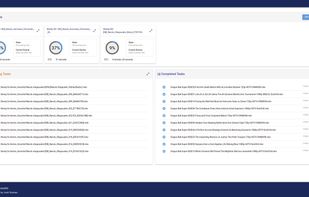
A Web UI to easily configure, manage and monitor the progress of your library optimisation.
You choose how you want your library to be.
Some examples of how you may use Unmanic:
Trans-code video or audio files into a uniform format using FFmpeg.
Identify (and remove if desired) commercials in DVR recordings shortly after they have completed being recorded.
Move files from one location to another after a configured period of time.
Automatically execute FileBot rename files in your library as they are added.
Compress files older than a specified age.
Run any custom command against files matching a certain extension or above a configured file size.
The Docker container is currently based linuxserver.io Ubuntu focal image.




Comments and Reviews
I have roughly 30 TB of media stored on an Unraid NAS, and I was approaching the limit of my storage space. The data is a weird variety of file formats/containers/codecs and what have you. A lot of them are 264. Converting the existing 264 files to 265 seemed like the biggest opportunity for space savings. After tinkering around with other automated tools like tdarr and fileflows, as well as manually batch converting files with Handbrake, I have found unmanic hits the sweet spot between easy to use and powerful. It's much more straightforward than tdarr and fileflows. I would say that both of those other options are probably more powerful, but it's easy to get lost in the complex configurations. To keep things simple to start I am just using unmanic to transcode the files. Once they are complete, a media management PVR like Sonarr or Radarr can detect the change and take care of things like updating the filename.