



VideoProc
Comprehensive AI tool for video, image, audio enhancement, offering remastering, upscaling, various conversions, and basic editing, powered by GPU acceleration, for HD/4K HDR content from devices like iPhone, GoPro, and more.

Features
- Hardware Accelerated
- Support for Layers
- Works Offline
- Video Download
- Audio Conversion
- Capture Video
- Cut video
- Resize Video
- Screen Recording
- Video Converter
Tags
- video-recorder
- mp4-to-mp3-converter
- video-to-audio-conversion
- video-to-mp3-converter
- video-processing
- mkv-to-mp4
VideoProc News & Activities
Recent News
Recent activities
- Anonim1488 reviewed VideoProc
-
inability to adjust the font size or buttons (the font is too small for me, I have to strain my eyes);
-
absurd difference in the operation of the two modes - «Detailed» remastering, «Fast» remastering. The file was 22 minutes 14 seconds long and was processed in detail mode - 1 hour 3 minutes or 63 minutes. The same file was processed in «fast» mode for 1 hour 58 minutes or 118 minutes;
-
heavy load on the graphics card and processor. The Nvidia GeForce RTX 3070 Ti averaged 90%...
-
 beatsyncpro added VideoProc as alternative to BeatSync PRO
- TheEmperorArt updated VideoProc
 icecreamapps added VideoProc as alternative to Free Video Editor
 juniorbc710 added VideoProc as alternative to KineMaster
 POX added VideoProc as alternative to Adobe Project Violet
- Dutch1994 thinks Video Download is a important feature of VideoProc



What is VideoProc?
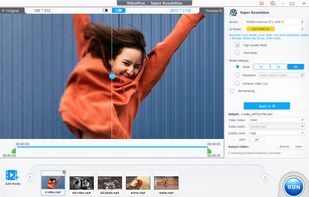
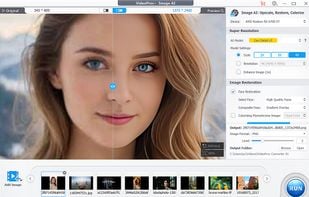
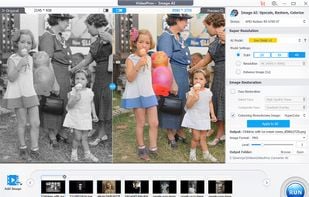
VideoProc Converter is an AI Media Enhancer and Converter with tools for video, image, and audio enhancement. It provides remastering, upscaling, restoring, colorizing, converting, editing, compressing, downloading, and recording functionalities, all supported by GPU acceleration. It processes HD/4K HDR videos from devices like iPhone, GoPro, DJI, and various cameras, including DSLR, mirrorless, and camcorders.
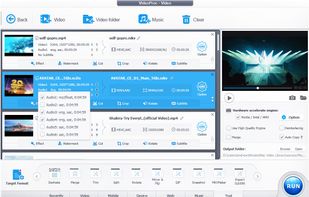
Besides video conversion, it also converts audio and DVD. It handles videos shot with GoPro, DJI, iPhone, Android, DSLR, mirrorless, camcorders, or other 4K cameras. It offers conversion options with 370 input codecs and over 420 output formats, catering to all transcoding needs like converting H264 to H265 (HEVC), MKV to iPhone, GIF to MP4, AVI to YouTube, and 3D to 2D.
VideoProc Converter also offers basic editing tools like cutting, cropping, merging, and adding effects, eliminating the need for additional editing software.
VideoProc Videos
VideoProc information
Developed by
 Digiarty Software, Inc.
 Licensing
Proprietary and Commercial product.Pricing
One time purchase (perpetual license) ranging between $29 and $42.Rating
Average rating of 3.3Alternatives
70 alternatives listedSupported Languages
- English



Comments and Reviews
VidoeProc had no problems downloading YouTube video files that other programs could not download.
inability to adjust the font size or buttons (the font is too small for me, I have to strain my eyes);
absurd difference in the operation of the two modes - «Detailed» remastering, «Fast» remastering. The file was 22 minutes 14 seconds long and was processed in detail mode - 1 hour 3 minutes or 63 minutes. The same file was processed in «fast» mode for 1 hour 58 minutes or 118 minutes;
heavy load on the graphics card and processor. The Nvidia GeForce RTX 3070 Ti averaged 90% performance at an average temperature of 66 degrees, while the Intel Core i7 processor averaged 30% performance at an average temperature of 86 degrees. For comparison, in other programs of a similar class, the videographic card worked at 80% at a temperature of 58 degrees, the processor at 25% at a temperature of 46 degrees, while strictly observing the same conditions for size, weight, duration, file format and PC cooling;
the disgusting quality of the remastering output file. Since last year, 2025, the quality of Topaz Video AI has dropped by two times - by 200%, but despite this deterioration, the program processed (improved) videography with a duration of 22 minutes 14 seconds on 200% better than VideoProc. Considering that the quality is still not perfect. Considering that there are two modes (Fast/Deep) Topaz Video AI processed the same videography much faster in time - 45 minutes and 1 hour 8 minutes, respectively. Moreover, Wondershare UniConverter, which does NOT remaster, but simply increases the resolution size of the videographic image, thanks to a more advanced AI module, processed a similar file better (in more detail, more clearly, more succinctly, more cleanly) than VideoProc.
tl;dr [review written from FPS conversion perspecive] worth checking out, especially with fully functional (just video time limit) trial