
JOE is a full featured terminal-based screen editor which is distributed under the GNU General Public License (GPL). JOE has been around since 1988 and comes standard with many Linux distributions.
Platforms
- Mac
- Windows
- Linux
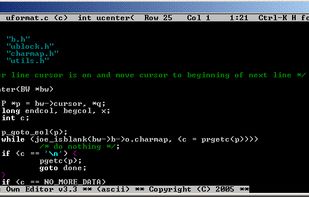

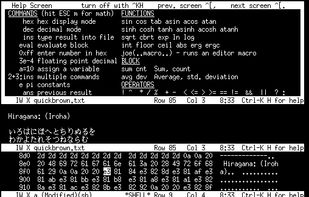
JOE is a full featured terminal-based screen editor which is distributed under the GNU General Public License (GPL). JOE has been around since 1988 and comes standard with many Linux distributions.


Replace notepad with free Unicode notepad replacement, rich in innovative features, text-processing functions, tools and hot-keys.


Collaborative text editor that works on local network or Internet and includes syntax highlighting for several popular programming languages.


NimbleText is a text manipulation and code generation tool available online or as a free download. It magnifies your ability to perform incredible feats of text and data wrangling.


RJ TextEd is a full featured text and source editor with Unicode support, syntax highlighting and code folding. The functionality extends beyond text files and includes support for HTML editing with integrated preview, spell checking, auto completion, HTML validation, templates...


lite is a lightweight text editor written mostly in Lua — it aims to provide something practical, pretty, small and fast, implemented as simply as possible; easy to modify and extend, or to use without doing either.

Notepad is a fast and distraction-free online writing space. Capture thoughts, take notes, and share instantly. Perfect for quick ideas, to-do lists, etc.

MindNote, the smartest, simplest, most customizable note-taking app designed to keep your ideas, thoughts, and memories organized and accessible wherever you go.


Katvan is a bare-bones editor for the Typst typesetting system, designed for working with documents whose primary language is written from right to left. Features include live previews, syntax highlighting, spell checking, auto-completion, forward/inverse search and more.


EditPad Pro is a powerful and versatile text editor or word processor. Designed to make text editing as convenient as possible, using EditPad Pro to edit text files will save you a lot of time and frustration. There is also a free .


A simple, opinionated plain text editor designed for writers, journalists and researchers. Jottr is not meant to be a full-featured text editor, but rather a simple and easy to use tool for writing. It's not aimed at developers.


Deepdwn is a markdown editing suite, designed to organize and edit collections of markdown files.


uFocus is a distraction-free writing application that allows you to open plain text files and manage them inside libraries. Looking for an alternative to those heavy word processors? Seeking for freshness? You are on the right place to start.


Cold Turkey Writer won't let you quit until you finish your work. Like, literally will not quit.


Your favorite dark mode word counter, now with even more themes! Count the number of characters, words, sentences, paragraphs, and lines in your text instantly with Tally.


PocketMark is an editor for Markdown (.md) files elegant and powerful, it's feature include, but are not limited to:


Text.app is a simple text editor for Chrome OS and Chrome. It's fast, lets you open multiple files at once, has syntax highlighting, and saves to Google Drive on Chrome OS.


A professional word processor, supporting writers in every phase of their book production – planning, wirting, editing and publishing.


Markdown Edit is a Windows desktop Markdown editor with an emphasis on content and keyboard shortcuts. There is minimal window chrome and most functions are accessed through keyboard shortcuts.


TEA is free text editor for Linux, *BSD, OS/2, Windows, Haicu. It depends on Qt 4.6+ or Qt 5 or Qt6, zlib and, optionally, on Aspell or Hunspell. The old (but renewed) branch, TEA-GTK depends on GTK+ 3 and GtkSourceView 3.

Dolphin Text Editor Menu expands the functionality of any text editor. It doesn't replace your current text editors - it makes them better.
Dolphin Text Editor Menu works with any software where you can type sentences or paragraphs. This includes: Visual Studio; OpenOffice.








