


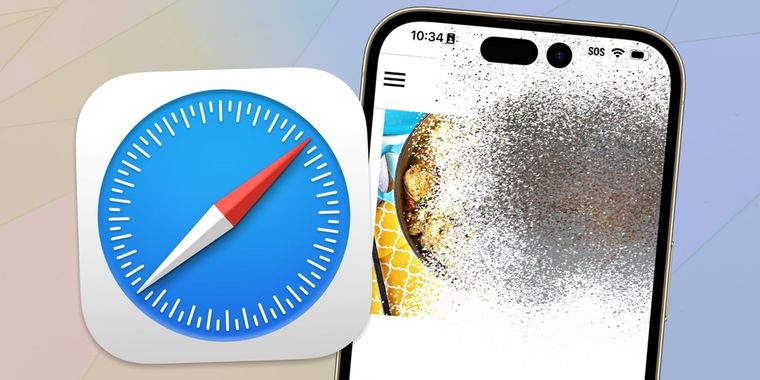

Apple introduces Distraction Control in Safari to hide annoying webpage elements
Apple has introduced a new Safari feature called Distraction Control in the latest beta versions of iOS 18, iPadOS 18, and macOS Sequoia, designed to reduce distracting elements on webpages, such as sign-in windows, cookie preference popups, newsletter signup banners, and autoplay videos. The selected elements are visually hidden with an animation that makes them disappear like a vapor.
Users can activate Distraction Control by selecting "Hide Distracting Items" from the Page Menu, allowing them to hide specific static content on a webpage. This helps improve the browsing experience by removing intrusive elements like popovers on online stores and article pages. Users must manually opt in to hide elements, ensuring that no content is hidden without their proactive selection.
The feature also manages cookie banners and GDPR popups by closing them as if preferences were not submitted. Notably, Distraction Control is not an ad blocker: while it can temporarily hide ads, they will reappear when the page is refreshed. Distraction Control settings are stored on-device and do not sync across multiple devices, requiring users to configure preferences individually on each device. Hidden elements can be viewed again using the "Show Hidden Items" option in the Safari search field.





- Web Browser
- Free
- Proprietary
Other apps mentioned in this article


Related news
External links
- New Distraction Control Safari Feature Launches in Latest iOS 18, iPadOS 18, and macOS Sequoia BetasMacRumors
- iOS 18 Beta 5: New Distraction Control Feature is AMAZING!MacRumors on YouTube
- Latest iOS, MacOS Betas Get Rid of Annoying Popups With 'Distraction Control'Gizmodo
- iOS 18 has fulfilled my dream of destroying ads with a Thanos snapThe Verge
- iOS 18’s Distraction Control is a makeshift ad blocker for SafariAndroid Authority