


iCloud
Store email, contacts, calendars, photos, music, books, apps and more in the cloud and access them on all your devices. iCloud also provides collaborative services for task management and notes and productivity apps for text documents, spreadsheets and presentations.

Cost / License
- Freemium (Subscription)
- Proprietary
Application typeApplication types
Platforms
- Mac
- Windows
- Online
- iPhone
- iPad


Features
iCloud News & Activities
Recent News
- Maoholguin published news article about iCloud
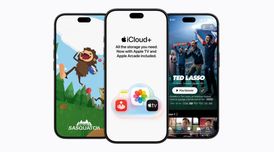 Apple is adding Apple TV and Apple Arcade to iCloud+ subs for free in over 100 markets
Apple has announced that is adding Apple TV and Apple Arcade to every paid iCloud+ tier in more tha...
- POX published news article about iCloud
 Apple reverses planned Hide My Email domain change; aliases will keep using icloud.com
Apple has reversed its previously announced decision to change the email domain for its iCloud+ Hid...
- Maoholguin published news article about iCloud
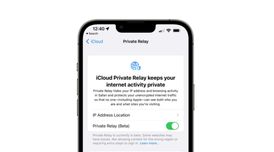 Recent reports reveal Apple’s iCloud Private Relay is leaking users’ real IP addresses
Researchers have discovered that Apple’s iCloud Private Relay, an iCloud+ feature designed to hide ...


Recent activities
 joshuabrush21 added iCloud as alternative to LACloud (Local Area Cloud)
 astorstack added iCloud as alternative to Complibase
 arbitrlabs added iCloud as alternative to StorageBites








Featured in Lists

Master List of all Apps and Software I use for both work and personal life.

A list with 568 apps by AmileyaRyver without a description.

- File compression - File sharing - Text sharing - Large file transfer - File downloader - File storage - File sync -...
What is iCloud?
iCloud information
Developed by
 Apple
Apple Licensing
Proprietary and Freemium product.Pricing
Subscription ranging between $1 and $10 per month + free version with limited functionality.Rating
Average rating of 2Alternatives
126 alternatives listedNews
20 news article related to iCloudBadge
Get an embeddable badge for iCloudSupported Languages


Comments and Reviews
While their default free 5 GB is like nothing, their add-on prices are acceptable. A buck monthly for 50 GB storage space.
Too bad that it's not E2E encrypted, so Apple can see all content. Also Apple works with authorities, so if we count 1+1 together....
If privacy is the top priority a self-hosted service like Nextcloud with end-to-end encryption on the client side is a better choice.
Too pricey compared to competitors. No E2E encryption.
The integration into the Apple platform is the main reason to use iCloud and where it really plays out its advantages over alternatives. I only have faint memories of the support on Windows which is much more restricted. iCloud is not just a storage space but a central for a lot of services used on Apple devices. The file system integration on macOS and iOS is a completely different thing than traditional synchronization folders.
Although I like iCloud because it allows me to see files across Apple devices, it's not very friendly directly on the Mac, and totally ignores Windows and Linux devices. Accessing iCloud via a browser is a joke. You can only download one file at a time. Not directories. On the MacBook Pro, Apple has gone the way of Microsoft - burying your files under obscure directories under ~/Library/MobileStorage/com~apple~CloudDocs. I've always been used to keeping my Documents, Pictures, Videos, Desktop, etc. right in my home directory. This is not acceptable to me because I can't always remember that long directory path to get to my files on my own computer. And if I move the directories, bye-bye iCloud sync.
iCloud Drive appears right in the sidebar of Finder and the menu. It is a top-level navigation item. Maybe the visibility is not enabled in the Finder side bar preferences. There is absolutely no need to navigate to the mentioned path.