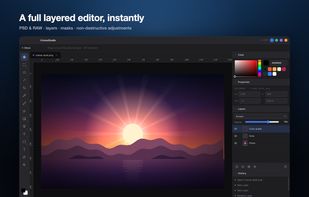
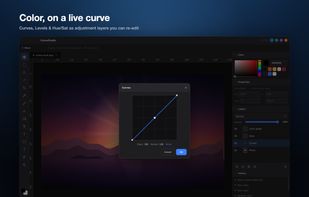
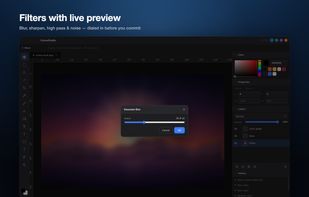
We believe artists deserve the best possible tools and we are determined to give it to them. The goal with Leonardo is to make the best painting application ever.


Adobe Photoshop serves as a professional raster graphics editor for Windows and macOS, handling advanced image editing, retouching, and digital art. Users praise its extensive feature set for graphics and design, though many complain about high pricing compared to other editors.
GIMP tops the rankings as the leading Photoshop alternative, offering broad image-editing and retouching tools completely free and open-source. Many users switch to GIMP specifically to escape Photoshop's cloud licensing and subscription model. Affinity Photo ranks second with its polished interface and one-time purchase model, repeatedly highlighted as a cost advantage over subscription pricing. Luminar Neo brings AI tools like GenErase and GenExpand plus focus stacking and HDR merging for photographer-centric workflows.
Krita ranks third, focusing on digital painting with advanced brush control and animation support for artists. The alternatives landscape splits between pro photo editors and art-first painting apps, with Photopea standing out as a free, install-free option with PSD support and a familiar interface.
For open source transparency, GIMP and Krita lead with community-driven development and no proprietary licensing restrictions. Linux users have native options in GIMP, Krita, and MyPaint without relying on Windows or macOS-only tools. Windows-only picks include Paint.NET and Corel PaintShop Pro for desktop editing with layers, effects, and selection tools.
Web-based editors like Photopea, Pixlr, and Sumo Paint work in browsers when you can't install software on school or locked-down computers. Users avoiding subscriptions can choose Affinity Photo and Affinity Designer for predictable one-time licensing. For PSD workflows, Photopea, Affinity Photo, and Pixelmator open Photoshop-format documents to maintain collaboration compatibility. iPad workflows benefit from Affinity Photo, Pixelmator, and Pixlr for editing on tablets rather than desktop-only setups.
We believe artists deserve the best possible tools and we are determined to give it to them. The goal with Leonardo is to make the best painting application ever.


An intuitive online design tool offering advanced features like animation, video editing, and over 150,000 templates. Access a library of 70 million+ assets including vectors, photos, and sounds. Ideal for social media, marketing, and design projects of all kinds.


Paintstorm Studio is created for professional digital painting. And a major role in this program play the brushes. We did our best so that you can easily and quickly adjust the brushes suitable for your painting style.


XGimp is a version of gimp that works on a mobile. It can be used as a paint program, image editor or a photo retouching program.


Xara Photo & Graphic Designer, formerly Xara Xtreme, is a fast graphics software with versatile illustration tools and advanced photo management. It streamlines creative tasks, allowing users to retouch images, create social media posts, and design website graphics in one...


A simple yet secretly powerful painting app! Focus on pure colors and shapes with a streamlined interface. Ideal for plein air painting, color notes, sketches and studies.


It's really good and interesting software to drawing.

Meet Icecream Photo Editor - the best free photo editor and photo manager for Windows. Edit your pictures like a pro: add text and images, crop and resize, add filters, create collages and more with ease.


ON1 Photo RAW is the lightning fast raw processor, photo editor and plug-in collection all in one app photographers have been asking for. Unlike the current class of raw-based photo editors requiring catalogs, bouncing between apps for editing, and a subscription ecosystem, ON1...


VanceAI provides AI enhancing, upscaling, sharpening, denoising, background removing, and more, with only one click to free your hands from complicated photo processing. All AI tools are available across Windows, macOS, Android, and iOS.


Want to edit photos, create logos or make designs with ease ? You've found the perfect app for that. With easy to use editing tools you can add text to an image, make beautiful designs, create stunning graphics and much more with just couple of taps.


PhotoKit.com is integrated with a powerful online photo editor, smart brush, image quality enhancement, exposure repairment and image filters, splicing, cropping, transformation, painting, resizing, and can add text, shape, sticker, frame, round corners, etc.


Great alternative for digital painting. Very Similar UI, better brush settings and lightweight. More importantly it's very inexpensive!