Android Wifi File Transfer icon

Android Wifi File Transfer

Connect and manage files in your android smartphone using WiFi. do not need to use a USB cable.
Android Wifi File Transfer screenshot 1
Android Wifi File Transfer screenshot 2
Android Wifi File Transfer screenshot 3

Cost / License

  • Free
  • Proprietary

Platforms

  • Android
0likes
0articles

Features

No features, maybe you want to suggest one?

Android Wifi File Transfer News & Activities

Highlights All activities

Recent activities

No activities found.

Android Wifi File Transfer information

AlternativeTo Category

File Sharing
Android Wifi File Transfer was added to AlternativeTo by soerbhakty on and this page was last updated .
No comments or reviews, maybe you want to be first?

What is Android Wifi File Transfer?

Connect and manage files in your android smartphone using WiFi. do not need to use a USB cable.

usability:

  • Upload and Download a lot of files at once.
  • Delete, rename, compress, extract the file using File Explorer on the PC
  • Runs in the background. You can run other applications on your smartphone or PC during running FTP.

Steps to connect the Smartphone and PC:

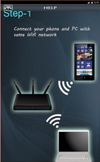
  • Make sure the smartphone and the PC connected to a same WiFi network Access Point.
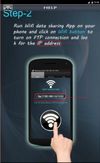
  • Tap the picture WiFi in Wifi File Transfer App at your smartphone to get the ip address and port for FTP connections.
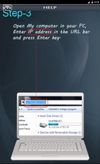
  • Enter the IP address and port information for the FTP in your smartphone to the File Explorer on your PC.
  • Enter the username and password for FTP (can be seen in the Wifi file transfer setting on your smartphone).
  • File and folder on your smartphone will be opened at the PC File Explorer. And you can edit all the files and folders like usually you working with your PC.