
Annotate icon
Annotate icon

Annotate

Annotate (formerly know as Glui) is the simplest way to capture, annotate and share screenshots.
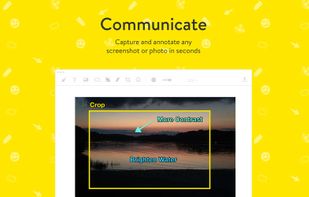
Annotate screenshot 1

Cost / License

  • Pay once
  • Proprietary

Application type

Alerts

  • Discontinued

Platforms

  • Mac
Discontinued

Website disappeared, not available on the app store any more

3likes
0articles

Features

  1.  Annotate Screenshot
  2.  Share screenshots
  3.  Edit screenshots

 Tags

Annotate News & Activities

Highlights All activities

Recent activities

No activities found.

Annotate information

  • Developed by

    Unknown
  • Licensing

    Proprietary and Commercial product.
  • Pricing

    One time purchase (perpetual license) that costs $4.
  • Alternatives

    15 alternatives listed
  • Badge

    Get an embeddable badge for Annotate
  • Supported Languages

    • English

AlternativeTo Category

Photos & Graphics
Annotate was added to AlternativeTo by Christian Bagley on and this page was last updated .
No comments or reviews, maybe you want to be first?

Featured in Lists

A list with 139 apps by boniaditya without a description.

List by boniaditya with 139 apps, updated

Official Links

What is Annotate?

Annotate (formerly know as Glui) is the simplest way to capture, annotate and share screenshots.

FEATURES

Capture images or video!

  • Record a screencast (up to 10 seconds) and share it anywhere as a GIF
  • Capture a screenshot or open any existing image

Mark it up!

  • Annotate with arrow, line, text, overlay, rectangle, oval, pen, pixelate tool and emojis
  • Quickly and easily redact parts of an image
  • Shortcut keys for all your tools supercharge your workflow

Share it!

  • If you work in Zendesk, you can share annotated images and video directly into a ticket
  • Streamline your workflow and instantly share the image or a link to the image with Dropbox, CloudApp, Apple Messages, Mail, Twitter and Facebook Apps
  • You can also copy or drag anywhere on your Mac to share your ideas