




AnyViewer
6 likes
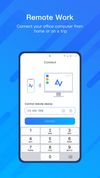
Remote desktop solution designed for IT support and remote work, featuring streaming protocols, minimal delay, multi-computer control, real-time chat, remote reboot and management tools, 256-bit encryption, GDPR compliance, two-factor authentication, and privacy options.



+2


Cost / License
- Freemium (Subscription)
- Proprietary
Application type
Platforms
- Mac
- Windows
- Android
- iPhone
- Android Tablet
- iPad

Features
AnyViewer News & Activities
Highlights All activities
Recent activities
 tsoftbala added AnyViewer as alternative to Rednote Mirror
 POX added AnyViewer as alternative to Astropad Workbench
 RafalKr added AnyViewer as alternative to Chromaport
- Begenmedikler1m liked AnyViewer


AnyViewer information
Developed by
 AOMEI Technology
 Licensing
Proprietary and Freemium product.Pricing
Subscription ranging between $2 and $4 per month + free version with limited functionality.Alternatives
31 alternatives listedBadge
Get an embeddable badge for AnyViewerSupported Languages
AlternativeTo Categories
Remote Work & Education, Network & Admin, Security & PrivacyApple AppStore
- Updated
- 3.8 avg rating




Comments and Reviews
Install and you are on. It is very easy to use doesn't require subscription and it is free for personal use. Excellent alternative for small business and home.