




AS Notes
1 like
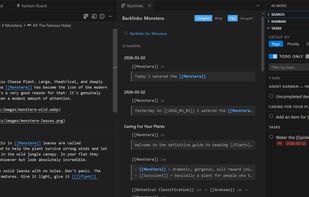
AS Notes brings markdown and [[wikilink]] editing for notes, documentation, blogs and wikis directly into VS Code and compatible editors (e.g. Antigravity, Cursor, Windsurf).

Cost / License
- Freemium (Pay once)
- Open Source
Platforms
- Visual Studio Code
- Cursor
- Windsurf

Features

AS Notes News & Activities
Highlights All activities
Recent activities

AS Notes information
Licensing
Open Source and Freemium product.Pricing
One time purchase (perpetual license) that costs $18 + free version with limited functionality.Written in
Alternatives
17 alternatives listedBadge
Get an embeddable badge for AS NotesSupported Languages

AlternativeTo Categories
Office & Productivity, Security & PrivacyGitHub repository
- 24 Stars
- 2 Forks
- 7 Open Issues
- Updated


No comments or reviews, maybe you want to be first?