



Batch Images
2 likes
Find, resize, crop, watermark, enhance, adjust, convert, rename, and process your pictures and photos in 30+ image formats with 120+ filters and effects using this graphics software. It features 4 processing modes, per-channel filters, layers, more!.
Cost / License
- Paid
- Proprietary
Platforms
- Windows

Features
- Portable
- Batch Rename Files
- Photo effects
- Batch conversion
- Filters
- Color correction
- Transparency
- Batch processing
Tags
- Photo Editing
- exif
- Automation
- watermark
- crop-image
- Resize Images
- batch-image-converter
- exif-editor
- exif-renaming
- batch-resize
- EXIF Metadata
- watermarker
- opacity
- graphics
- resizer
Batch Images News & Activities
Highlights All activities
Recent activities
 POX added Batch Images as alternative to Peggy Converter
 mihnea-radulescu-1985 added Batch Images as alternative to Image Normalizer
Batch Images information
Developed by
 BinaryMark
 Licensing
Proprietary and Commercial product.Alternatives
24 alternatives listedSupported Languages
- English



No comments or reviews, maybe you want to be first?
What is Batch Images?
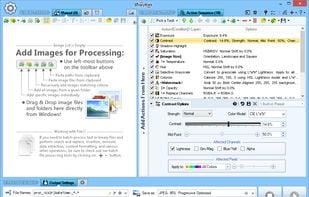
Find, resize, crop, watermark, enhance, adjust, convert, rename, and process your pictures and photos in 30+ image formats with 120+ filters and effects using this graphics software. Some features include:
- 120+ Actions and Effects: resize, crop, adjust, contrast, watermark...
- Conditional processing based on image orientation, size, and other attributes
- 4 processing modes: Manual, Background, Scheduled, and Console
- Work with metadata: EXIF, IPTC, GPS, XMP
- Save results in any of 30+ formats: jpg, png, tiff, jp2...
- Full 32-bit support for images with alpha channel
- Resize, scale, shrink, fit to aspect ratio, fit to rectangle...
- Automatic crop, crop to fixed size, crop from edges, crop to W:H ratio
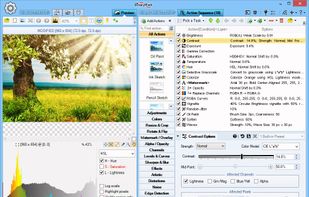
- Color adjustments: brightness, hue, saturation, tint, exposure...
- Use creative effects: pixelate, vignette, frost glass...
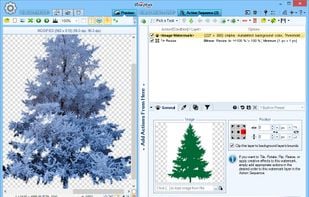
- Add static / dynamic text and image watermarks
- Apply tiled, rotated, mirrored, resized watermarks
- Per-channel processing: extract, mix, replace, adjust values, etc...
- Layers with pixel filtering and 40+ Blend Modes: lighten, darken, contrast, inversion...
- 8 Color Models: RGB, HSB/HSV, HSL, HSI, HWB, YCbCr, Lab, LCH
- 20 scaling modes: Lanczos, Bilinear, Bicubic, Box, HqX
- 12 compositing modes: source-over, source-in, source-out...
- Resize canvas and add padding; change print resolution
- Change width and height independently or proportionately
- Set dimensions using pixels, percentages %, or print units
- Automatically shrink images to fit a desired file size in Kilobytes
- Rotate and flip manually or using EXIF orientation tag
- Fit to fixed size or rectangle; fit to aspect ratio
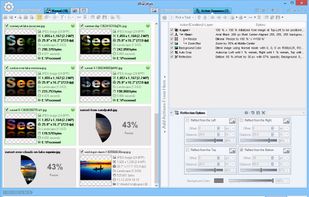
- Fast parallel processing on multi-core CPUs
- Rename image files based on image or file properties and EXIF/IPTC metadata
- Customize output file names with dynamic tags
- Save images to multiple locations and using different settings
- Different image format options: bit depth, compression...