


Caesium Image Compressor
86 likes
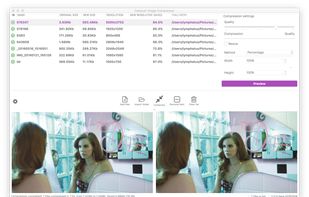
Caesium Image Compressor lets you compress your pictures up to 90% without visible quality loss. Providing a simple yet effective interface with a real-time preview and multiple image processing at the same time, everyone will be able to reach the best result.

Cost / License
- Free
- Open Source (GPL-3.0)
Application typeApplication types
 EU
EUPlatforms
- Mac
- Windows
- Linux
- Online


Features
Caesium Image Compressor News & Activities
Highlights All activities
Recent News
No news, maybe you know any news worth sharing?
Share a News TipRecent activities
 karimz1 added Caesium Image Compressor as alternative to ImgCompress
- amartinsmg liked Caesium Image Compressor
- Maoholguin added Caesium Image Compressor as alternative to ImageFuel
- chovexa added Caesium Image Compressor as alternative to ShrinkFox
- scorpion7slayer added Caesium Image Compressor as alternative to Minime App
 dcarrero added Caesium Image Compressor as alternative to ImageForge
 Vahzryn added Caesium Image Compressor as alternative to Zapixal
A piece of software I use on Windows, which is really very handy for compressing and resizing photos in bulk. It’s a shame that the software isn’t compiled for Linux.
 FST added Caesium Image Compressor as alternative to PixelForge AI
 valanto added Caesium Image Compressor as alternative to Capcompress


Featured in Lists

These are all the software I use on my windows machine. I am privacy freak. So, I mostly use open source software....
List by sam with 100 apps, updated

I use these software on Windows
List by yaqinking with 63 apps, updated

A list with 69 apps by vguerreiro without a description.
List by vguerreiro with 69 apps, updated
What is Caesium Image Compressor?
Caesium Image Compressor information
Developed by
 Matteo Paonessa
 Licensing
Open Source (GPL-3.0) and Free product.Written in
Rating
Average rating of 3.9Alternatives
147 alternatives listedBadge
Get an embeddable badge for Caesium Image CompressorSupported Languages

AlternativeTo Categories
File Management, Photos & Graphics, OS & UtilitiesGitHub repository
- 6,322 Stars
- 359 Forks
- 68 Open Issues
- Updated


Comments and Reviews
Quick and simple bulk image optimisation. Only wish it would keep folder structure!
Very disappointing. It does lack a lot of settings offered by Riot and when I tried to optimize a 300 ko png file, it gave me a heavier image automatically (you cannot change anything). Riot gives a 96 ko file (and not the best compression).
A piece of software I use on Windows, which is really very handy for compressing and resizing photos in bulk. It’s a shame that the software isn’t compiled for Linux.
this tool is Good
Not able to use on mobile
In the few weeks I've been using this It's been really quick, easy, and efficient.
A minor caveat: Regrettably it doesn't posses any 'undo' options, so if one's changed the settings to overwrite your files in the original folder, one has to retrieve the originals from the bin. No real hardship, just an observation to be aware of. Otherwise you can choose a designated save folder, or changed the filename to the edited photos.
Works great and quicker than expected. Can compress, resize images with a few helpful output settings like filename suffixes and output formats. Wish .avif was one of them. Might be limited for advanced users but they're probably diddling around in the terminal anyway.
One warning absolutely DO NOT add any spaces in the "suffix" option.