


Bulk Crap Uninstaller
427 likes
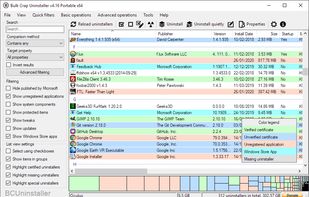
Open-source batch uninstaller removes multiple apps, including portable and protected software, with minimal user input, forced uninstall, leftover cleanup, certificate verification, automation options, custom filtering, fully portable operation, and startup management.

Cost / License
- Free
- Open Source (Apache-2.0)
Application typeApplication types
 EU
EUPlatforms
- Windows


Features
Bulk Crap Uninstaller News & Activities
Highlights All activities
Recent News
No news, maybe you know any news worth sharing?
Share a News TipRecent activities
- candroid_man liked Bulk Crap Uninstaller
- NoFacePrivacy liked Bulk Crap Uninstaller
 jimman0I added Bulk Crap Uninstaller as alternative to Prune Uninstaller
- tobino liked Bulk Crap Uninstaller
- impox_ liked Bulk Crap Uninstaller
- zdozjdmzjdlek liked Bulk Crap Uninstaller
- Robin_P liked Bulk Crap Uninstaller
- zac8wqoxg9 liked Bulk Crap Uninstaller
- Oklonsica liked Bulk Crap Uninstaller
- GGhz liked Bulk Crap Uninstaller


Featured in Lists

This is the apps for Windows 11 that I would recommend to anyone who just got a PC ! The same list...
List by Darlene Sonalder with 142 apps, updated
Use these free utilities to backup, update, clean, and optimize Windows 10/11.
List by xyzerb with 14 apps, updated

Master List of all Apps and Software I use for both work and personal life.
List by Jimmy Briggs with 416 apps, updated
What is Bulk Crap Uninstaller?
Bulk Crap Uninstaller Videos
Bulk Crap Uninstaller information
Developed by
 Klocman software
 Licensing
Open Source (Apache-2.0) and Free product.Written in
Rating
Average rating of 4.6Alternatives
55 alternatives listedBadge
Get an embeddable badge for Bulk Crap UninstallerSupported Languages

AlternativeTo Categories
OS & Utilities, File ManagementGitHub repository
- 21,399 Stars
- 930 Forks
- 161 Open Issues
- Updated


Comments and Reviews
It works, but the left over clean up is very inaccurate, and it takes several minutes to initialize. The names on programs are often incorrect, and there are many redundant prompts, it also rechecks everything upon task completion, which takes a long time. Much of the freemium uninstallers are better[at the task]; but they often come with bundleware/adware. 3 stars for quality, but a bonus for being open source.
[Edited by Chaython, June 29]
Five stars for such an awesome review. And I mean that this is how reviews should be written. I wish this review could be pinned somewhere on this website as a template for all those one-line reviews which add nothing except increment the reviews count.
Great going, Chaython. Cheers!
It is very buggy, slow and overbloated (about 1300 files in portable version!!!). BulkCrap had attempted to delete the entire folder of VST plugins from my HDD (assuming a tiny 3MB VST synth for a big 6GB uninstall assembly!) - be extremely careful and double check, while testing it. I recommend freeware GEEK uninstaller - it is very fast and bugless.
A superb product. I have used it hundreds of times, never had trouble with it.
The software seems comprehensive and provides a lot of information about installed applications. It's quite intuitive and offers a good tutorial at startup. Good application.
it worked perfectly for a software that i had trouble getting rid of, revo free version didn't work so i tried BCU
I've had it for several years and I'm more than satisfied with it. It effectively detects and uninstalls software, including any folders that may have been created by it.
I installed it after using Adobe Creative during an internship because I couldn't find any way to get rid of it. And following an online article (before the era of AI) on the top open source software, which included TreeSize. I'm not disappointed.
It's a shame that it's only available on Windows and not Linux for us novices or beginners on this new operating system.
Bulk Crap Uninstaller 'sees' almost every installed app or software on your computer, so you will be able to uninstall it. (If BCU can't identify a program, the program itself may be dodgy. You may want to delete that item manually.) BCU identfied programs that Geek Uninstaller couldn't even see. I ended up getting rid of Geek, and just stick to using BCU. Plus, it is Free and Open Source ‒ what more could you want?