




Cisdem PDFMaster
2 likes
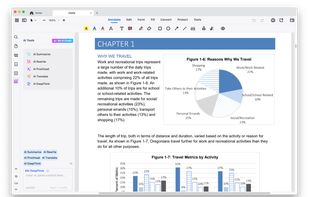
Cisdem PDFMaster offers a complete PDF solution to help you work with PDF files in a highly productive way: convert, create, edit, split, compress, encrypt and unlock PDF files.

Cost / License
- Pay once
- Proprietary
Application typeApplication types
Platforms
- Mac
- Windows


Features
Cisdem PDFMaster News & Activities
Highlights All activities
Recent activities
I deal with a constant flow of reports, site photos, and marked-up PDFs that need quick turnaround. I’ve tried several different apps, but Cisdem PDFMaster fits my workflow better than most. I can open large inspection files without lag, add precise annotations during reviews, and quickly merge or split documents before sending them out to clients or contractors.
What I really like is how straightforward everything is—no digging through complicated menus when I’m on a tight schedule.
- NancyG added No Tracking as a feature to Cisdem PDFMaster
- NancyG added AI-Powered as a feature to Cisdem PDFMaster
- NancyG added Support for Themes as a feature to Cisdem PDFMaster
- NancyG liked Cisdem PDFMaster


Cisdem PDFMaster information
Developed by
 Cisdem
 Licensing
Proprietary and Commercial product.Pricing
One time purchase (perpetual license) ranging between $49 and $79.Alternatives
2 alternatives listedBadge
Get an embeddable badge for Cisdem PDFMasterSupported Languages


Comments and Reviews
I deal with a constant flow of reports, site photos, and marked-up PDFs that need quick turnaround. I’ve tried several different apps, but Cisdem PDFMaster fits my workflow better than most. I can open large inspection files without lag, add precise annotations during reviews, and quickly merge or split documents before sending them out to clients or contractors.
What I really like is how straightforward everything is—no digging through complicated menus when I’m on a tight schedule.
To be honest, Cisdem PDFMaster has become one of the basic tools I use almost every day, whether for work or managing paperwork in life. I remember scrambling before a deadline trying to combine a dozen different reports and scans into one polished PDF for a client. PDFMaster handled it in a few clicks with its batch merge, saving me hours and a major headache. That alone felt worth it. It’s not flashy, but it’s incredibly reliable and tackles those annoying PDF tasks efficiently that used to waste so much time, such as editing, converting, signing, measuring, protecting and more. If you deal with PDFs regularly, it genuinely makes things easier. Totally recommend giving the free trial a spin!