


Classic Shell
Classic Shell is free software that improves your productivity, enhances the usability of Windows, and empowers you to use the computer the way you like it.
Cost / License
- Free
- Open Source
 EU
EUAlerts
- Discontinued
Platforms
- Windows
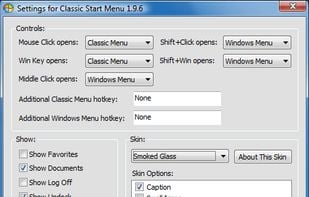
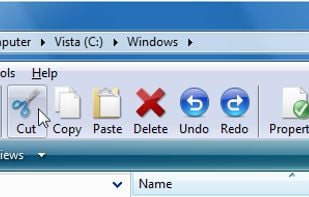
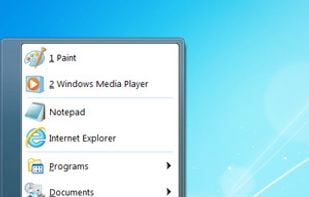
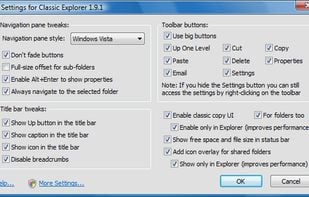
The developer announced that Classic Shell will be no longer developed because Windows 10 is updated too frequently and because Microsoft is making more difficult to customize Windows: http://www.classicshell.net/forum/viewtopic.php?f=4&t=8147 Last version, 4.3.1, released in August 2017, can be still downloaded from the official website, together with the source code.

Features
Properties
- Customizable
Features
 Windows Explorer Extension
- Change Start Button
- Customize Windows
- System Tweaker
- Multiple languages
Tags
- start-menu-replacement
- shell-replacement
- taskbar-tweaker
Classic Shell News & Activities
Recent News
Recent activities
- u7741339 liked Classic Shell
 sebastianpaczoski added Classic Shell as alternative to TaskbarPlus
Featured in Lists

Well know apps that have been discontinued recently.

Kaspersky

A list with 83 apps by seb720p without a description.
What is Classic Shell?
Classic Shell is free software that improves your productivity, enhances the usability of Windows, and empowers you to use the computer the way you like it.
The main features are:
Highly customizable start menu with multiple styles and skins Quick access to recent, frequently-used, or pinned programs Find programs, settings, files and documents Start button for Windows 7, Windows 8, Windows 8.1 & Windows 10 Toolbar and status bar for Windows Explorer Caption and status bar for Internet Explorer
Translations: The main Classic Shell package includes translations in 35 languages for things like the toolbar labels, the Explorer UI and the start menu items. By default things like the settings UI, help files and the installer are only in English. However, also those areas of Classic Shell have been translated to 6 other languages: Chinese, French, German, Italian, Polish & Russian. You can download the installer for these 6 languages from http://classicshell.net/translations .
Classic Shell information
Developed by
 Ivo Beltchev
 Licensing
Open Source and Free product.Rating
Average rating of 4.4Alternatives
28 alternatives listedSupported Languages
- English


Comments and Reviews
Discontinued, But still working ;)
For me, this is the best alternative so far. I'm still using it without issues and will continue using it until it dies.
And it died. After so many Windows updates it doesn't work correctly. Two years ago I replaced Classsic Shell by Start Menu X.
Classic Shell replacement is Open Shell, please look it up here on alternativeto.net Open Shell has the same features as Classic Shell and you can even "upgrade" from Classic Shell to Open Shell almost seamlessly Open Shell is absolutely free and open source, and (at the time of this writing) is in active development It's truly the best replacement for Classic Shell
Classic shell will continue it's life under the name open menu and is now open source on github.
correction, it's name is "open shell menu" https://github.com/Open-Shell/Open-Shell-Menu
I even use it on Windows 7 because you can cusromise your Start Menu so much more!
This beautiful software is a must have to Windows 10. I really don't know why Microsoft keep messing with the Start Menu. If it isn't broken, don't fix it.
Lately, my explorer.exe process was hanging a lot. Every few minutes I had to restart the process on both my Laptop and Desktop computer. After doing some software diagnostics, I found out the Classic Shell was the culprit.
Fortunately it wasn't the Classic Menu functionality that was messing with the process, but the Classic Windows Explorer features.
Just reinstall the software and disable the installation of the Windows Explorer features. It might still be remnants of the old installation, so you might need to remove some settings, manually.
Just grab a little piece of software called Autoruns from Sysinternals, ran it as an Administrator and disabled all the features that weren't related with the Classic Shell Classic Menu features. Filter for "classic" and disable all the options with "Adds classic Windows Explorer features" in the description. Restart the computer, and all done.