
ClipHearth icon
ClipHearth icon

ClipHearth

A cross-platform desktop workbench that detects video, live streams, radio, and playlists in its built-in browser, then captures, converts, and edits them. It supports subtitles, batch jobs, hardware encoding, GIF export, ad and tracker blocking, and signed updates.
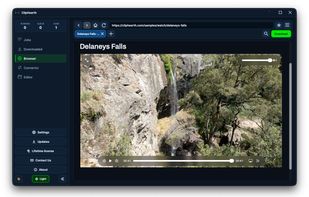
ClipHearth screenshot 1

Cost / License

  • Pay once or Subscription
  • Proprietary

Platforms

  • Mac
  • Windows
  • Linux  x64 and arm64. The .deb for Debian, Ubuntu, and Mint updates through the signed ClipHearth apt repository; other distributions use the tar.gz with its install script. The built-in browser needs WebKitGTK 4.1 or 4.0.
0likes
0articles

Features

Properties

  1.  Privacy focused

Features

  1.  Support for 4K
  2.  Non Destructive Editing
  3.  Colour Grading
  4.  Live Preview
  5.  Ad-free
  6.  Hardware Accelerated
  7.  Batch Editing
  8.  No Tracking
  9.  Dark Mode
  10.  Video Converter
  11.  Trim video
  12.  Built-in Browser
  13.  Support for subtitles
  14.  Audio Recording
  15.  Batch conversion

ClipHearth News & Activities

Highlights All activities

Recent activities

ClipHearth information

  • Developed by

    CZ flagClipHearth
  • Licensing

    Proprietary and Commercial product.
  • Pricing

    One time purchase that costs $45, and / or subscription that costs $11 per month.
  • Alternatives

    1 alternatives listed
  • Badge

    Get an embeddable badge for ClipHearth
  • Supported Languages

    • English
ClipHearth was added to AlternativeTo by Slitherin on and this page was last updated .
No comments or reviews, maybe you want to be first?

What is ClipHearth?

ClipHearth is a desktop media workbench for Windows, macOS, and Linux. Browse in its built-in browser and the stream detector surfaces the video or sound playing on the page, including live streams and internet radio, and saves it in the best quality on offer. Live streams record until you stop them, playlists of up to 500 entries queue in one action, and subtitles can be embedded in the file. The Convertor turns files into 11 video and 9 audio formats, in batches, using the hardware encoder when one is available. The Editor trims and joins clips, adjusts color and speed, reshapes the audio, and exports GIFs, always as a new file. FFmpeg ships inside the app, the browser blocks ads and trackers, and every update is signed. ClipHearth is for media you own or are authorized to keep and does not circumvent DRM.

