


CloseAll
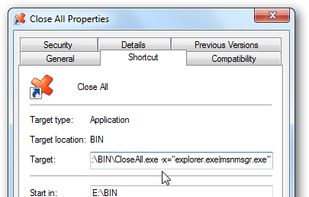
This program lets you close all running applications with just a single click. It doesn’t use system resources because it only flashes a ‘close’ signal to all open applications on the desktop and then ceases.

Cost / License
- Pay once
- Proprietary
Platforms
- Windows

Features
CloseAll News & Activities
Recent activities
There’s really nothing else that works like a true one‑button kill switch. Most people use apps moderately, sure, but for those like me with their screen(s) full of things running and then getting to the point of shut everything down is invaluable.
Closeall is/was the go to switch on the quick launch bar.
My 5/5 rating is strictly for the older versions from over eight years ago, not the feature‑packed releases available today. Versions 3.0 and below were simple, straightforward, and...
- Usnyn liked CloseAll
CloseAll information
Developed by
UnknownLicensing
Proprietary and Commercial product.Pricing
One time purchase (perpetual license) ranging between $20 and $1800.Alternatives
1 alternatives listedBadge
Get an embeddable badge for CloseAllSupported Languages

Featured in Lists

A list with 47 apps by proxywork1 without a description.
Comments and Reviews
There’s really nothing else that works like a true one‑button kill switch. Most people use apps moderately, sure, but for those like me with their screen(s) full of things running and then getting to the point of shut everything down is invaluable.
Closeall is/was the go to switch on the quick launch bar.
My 5/5 rating is strictly for the older versions from over eight years ago, not the feature‑packed releases available today. Versions 3.0 and below were simple, straightforward, and did exactly what they were meant to do, but as with many apps, the more features the developer added, the more it drifted away from its original purpose. I remember updating to a later version and feeling disappointed: multiple steps to do what used to take one, including an overhead banner pushing for a user to purchase a license, and an overall bloated feel. Too much, in my opinion.
So I’ve stuck with CloseAll v3.0 since 2017/8 and I’m still using it today.
I would love to see a linux alternative to this. It seems so simple, yet when I talk about it people look at me like i have five heads.
anyway the closest linux alternative I found is in the Cinnamon window manager for
  Linux Mint . there is an addon that lets you see a list of all open windows, and it has a button that lets you close all windows for that workspace. This is not as good as CloseAll, but it is the closest I could find, and I looked pretty hard.
-?as?ß?a?d ß?a??
Linux Mint . there is an addon that lets you see a list of all open windows, and it has a button that lets you close all windows for that workspace. This is not as good as CloseAll, but it is the closest I could find, and I looked pretty hard.
-?as?ß?a?d ß?a??