





ComIO.Studio
Like
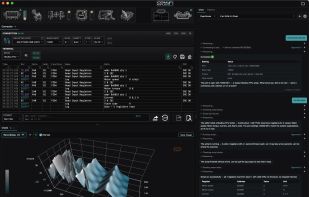
RS-232 and RS-485 serial terminal and serial port monitor for macOS, Windows, Linux, with a Modbus RTU decoder and RS-485 sniffer, time-stamped logging, macros, triggers and ESP32, STM32, AVR firmware flashing, plus optional Lua scripting, charts, an AI assistant (BYOK) and an MCP server.

Cost / License
- Freemium (Pay once or Subscription)
- Proprietary
Application type
 EU
EUPlatforms
- Mac
- Windows
- Linux

Features
ComIO.Studio News & Activities
Highlights All activities
Recent activities
- ComIO added ComIO.Studio
 ComIO added ComIO.Studio as alternative to Serial Port Monitor, Advanced Serial Port Monitor, Portmon and Listen32


ComIO.Studio information
Developed by
 ComIO.Studio
 Licensing
Proprietary and Freemium product.Pricing
One time purchase that costs $99, and / or subscription ranging between $3 and $4 per month + free version with limited functionality.Alternatives
12 alternatives listedBadge
Get an embeddable badge for ComIO.StudioSupported Languages


No comments or reviews, maybe you want to be first?