





CSS Guardrail
Like
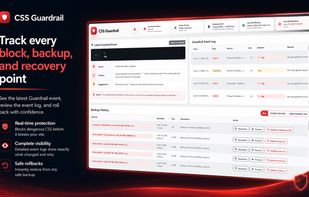
CSS Guardrail is a safety tool for WordPress users who edit CSS directly inside the Theme File Editor or the Customizer’s Additional CSS panel.

Cost / License
- Pay once
- Proprietary
Platforms
- Online
- Software as a Service (SaaS)


Features
CSS Guardrail News & Activities
Highlights All activities
Recent activities
 POX added CSS Guardrail as alternative to Mesurer
- nicklaux added CSS Guardrail
 nicklaux added CSS Guardrail as alternative to CSS Hero, Visual CSS and CSS Pro

CSS Guardrail information
Developed by
Loxx Software DevelopmentLicensing
Proprietary and Commercial product.Pricing
One time purchase (perpetual license) ranging between $29 and $99.Alternatives
4 alternatives listedBadge
Get an embeddable badge for CSS GuardrailSupported Languages

No comments or reviews, maybe you want to be first?