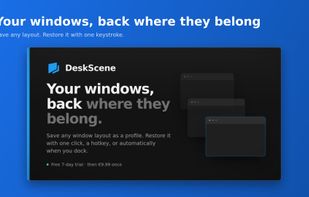
Your windows, back where they belong.
Every morning the same ritual: open the same programs, drag them onto the
right screens, resize them until the desk looks like it did yesterday. Every
time a monitor sleeps or a laptop leaves its dock, start over.
DeskScene saves that arrangement once and puts it back on demand.
HOW IT WORKS
Arrange your windows the way you want them. Save that as a named profile —
DeskScene records the position, size, monitor and maximized state of every
window you picked. Restore the whole set later with one click, a global
hotkey, or automatically when your monitor setup changes.
Profiles live side by side. A focused writing layout, a meeting layout, a
layout for when the laptop is on its own — each one a keystroke away.
WHAT IT RESTORES
- Exact position and size, down to the pixel
- Which monitor each window belongs on, however many you have
- Maximized state, restored as maximized rather than approximated
- Several windows of the same application, kept apart from each other
- Applications that aren't running, launched first and then positioned
- Websites a profile needs, reopened in your browser
MONITOR PROFILES
Attach a layout to a specific display configuration and DeskScene applies it
when that configuration appears. Dock at the office and the office layout
returns. Open the lid on the train and the single-screen layout takes over.
It waits for the display change to settle before acting, which is why it
survives docks that reconnect their screens one at a time.
IT STAYS ON YOUR MACHINE
No account. No sign-in. No telemetry of any kind — DeskScene does not measure
how you use it and has nothing to report back. Profiles are plain JSON files
in the app's own folder, readable and editable, yours to back up or delete.
GOOD TO KNOW BEFORE YOU BUY
Store apps installed from Microsoft Store are hosted by a shared system
process and cannot be relaunched from an executable path, so they stay out of
profiles. Windows blocks any ordinary program from moving a window that runs
as administrator, DeskScene included. Window matching uses exact titles first
and title similarity after that — very good in practice, not infallible.
These are stated here rather than discovered later.
TRY IT FIRST
Seven days, every feature unlocked, no card and no account. A small banner
counts down and can be dismissed; nothing is disabled and nothing nags. If you
keep it, it is a single purchase — no subscription, no tiers, no upsell.
Your profiles stay exactly where they are either way.
Requires Windows 10 version 1809 or newer. x64 and ARM64.







 EU
EU


 Thomas-Ulrich added DeskScene as alternative to Microsoft PowerToys, DisplayFusion, AquaSnap and SnapZones
 Thomas ULRICH

