




Digital Clock 4
7 likes
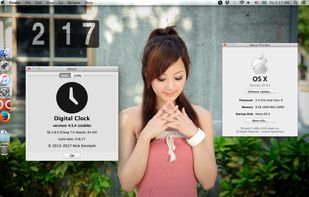
Beautiful customizable clock with plugins.

Cost / License
- Free
- Open Source
Application type
Platforms
- Mac
- Windows
- Linux


Features
Digital Clock 4 News & Activities
Highlights All activities
Recent News
No news, maybe you know any news worth sharing?
Share a News TipRecent activities
- DomIsDazed added Digital Clock 4 as alternative to MA Clock
 bjones9942 added Digital Clock 4 as alternative to Alarmz
 POX added Digital Clock 4 as alternative to Morning Glory
 gwrvan-barre added Digital Clock 4 as alternative to ClockMaster


What is Digital Clock 4?
Digital Clock 4 information
Developed by
 Nick Korotysh
 Licensing
Open Source and Free product.Rating
Average rating of 4.7Alternatives
77 alternatives listedBadge
Get an embeddable badge for Digital Clock 4Supported Languages


Comments and Reviews
Pretty buggy, the clock might disappear if you change the skin and such and it might be hard for you to get it back if you don't know what you're doing, but yeah, don't mess with the settings too much if at all and it's fine (if it disappears on you go to experimental and enable always keep clocks visible and show clock on all monitors, then restart the program by quitting in the program in the taskbar and set position and stuff again, this eventually worked for me), you can safely change the foreground and background colors, opacity, size/zoom, time format, stuff like that without the clock position glitching out.
Although it has been discontinued, it works perfectly on Windows 10 and 11. It is very customizable, it has a portable version compatible with 32 bits and a large number of plugins, such as alarm, countdown timer, scheduler, calendar, quick note, etc. Also it's very lightweight. I really love it.
It’s the best clock for Windows I ever met. Beautiful skins, very readable. multi monitors support, useful plugin (I?love the ability to add a note under the clock), mouse hovering customisation to show clock while playing video games (that’s is so useful).