




Display Driver Uninstaller
21 likes
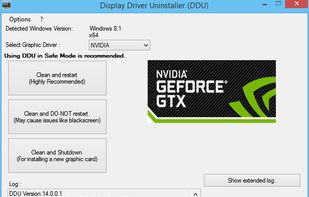
Perform clean installation of video drivers by removing old ones first, then blocking Windows from automatically installing a default driver.

Cost / License
- Free
- Proprietary
Platforms
- Windows

Features
Display Driver Uninstaller News & Activities
Highlights All activities
Recent activities
- fosam liked Display Driver Uninstaller
- b9wzo9tz liked Display Driver Uninstaller
- Anonim1488 liked Display Driver Uninstaller
 OrdinaryPerson added Display Driver Uninstaller as alternative to NVCleanstall

Display Driver Uninstaller information
Developed by
 Wagnard Mobile
 Licensing
Proprietary and Free product.Alternatives
2 alternatives listedBadge
Get an embeddable badge for Display Driver UninstallerSupported Languages

Featured in Lists

A list of both Software and some games that are FOSS or Freeware :) the list is in random order.
List by Sebastian with 74 apps, updated

A list with 51 apps by Riiku without a description.
List by Ricardo Rodrigues with 51 apps, updated

A list with 53 apps by zapiboss without a description.
List by zapiboss with 53 apps, updated
Comments and Reviews
I only used this utility once when I was having trouble updating one of my GPUs, but it got the job done and with the instructions I was given, it was actually pretty easy to do.
this utility really makes things so easy for updating your video card drivers, without worry of leaving old remnants of the previous version behind. it makes doing a clean install incredibly easy, and is very thorough in which it has options to safeguard against issues that may arise (creating a system backup, etc.). so it cleans virtually every aspect of the old driver (and any other driver lingering around), guides you to restart the computer in a safe-mode in which it automatically blocks the well-known windows culprit for when no video driver is present, to start installing the default windows-based one that is rarely what you are looking for. so it's really nice to have it boot up in safe mode, not try to install the windows archaic drivers that are very generic, then to have whatever your brand of gpu's installer pop-up shortly, where you are given the option to do a clean install.
it will simply request to restart the computer, and once that is complete - you have a very, very clean install of the driver you wanted to install for your video card. absolutely excellent! highly recommended.
DDU has a feature that let's you know when a new version is available - and honestly, it will happen often, as it maintained so frequently and diligently by the wonderful Wagnard. i have no affiliation with him, but i can honestly say he deserves much kudos from the community for doing such fantastic work imo. It was such a hassle to go back and forth between video drivers before DDU came along. Thanks Wagnard!
[Edited by menace97, August 16]
keep in mind, you may want to use something like ReIcon or something similar which remembers where all your desktop icons are: ReIcon
... as with any program or any time that your display changes, your icons and shortcuts on your desktop will get rearranged as you cycle through different resolutions for example - so if you happen to have many icons on your desktop and have a particular place for each one, i would recommend taking a screenshot of your desktop and/or using something like ReIcon to put those icons back where they were before the changes in display resolutions - to get the new driver up and running back to the original resolution/display. Hope that is helpful!