


documentScanner
Turn your paper documents into digital files. Auto-detect edges, correct perspective, enhance images, extract text with OCR, and export as PDF or images.
Features
Properties
- Privacy focused
Features
- Built-in viewer
- Ad-free
- Works Offline
- Dark Mode
- No Tracking
- Support for MarkDown
- Hierarchical Structure
- No registration required
- OCR
- Scan documents
- AI-Powered
- Scanner
- PDF OCR
- Scan to PDF
Tags
documentScanner News & Activities
Recent activities
- tuguobaservice liked documentScanner
- Maoholguin updated documentScanner
- tuguobaservice added documentScanner
tuguobaservice added documentScanner as alternative to FairScan, MakeACopy, Tesseract and Google Lens
documentScanner information
What is documentScanner?
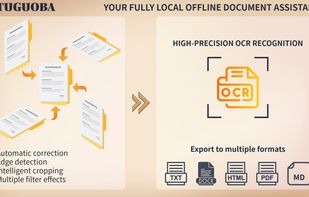
documentScanner is your all-in-one solution for turning paper documents into high-quality digital files. Whether you need to scan contracts, receipts, books, or notes, this powerful tool combines document capture, image enhancement, OCR text recognition, annotation, and export in one seamless workflow.
FEATURES
📥 Document Capture
- Import images (PNG, JPG, TIFF, BMP) and PDF files
- Capture documents directly using your camera
- Drag and drop files for quick loading
- Batch import multiple documents at once
🎯 Smart Document Scanning
- Auto-detect document edges for precise cropping
- Correct perspective distortion from angled shots
- Smooth or pixelate processing modes
- Manual adjustment with draggable control points
? Image Enhancement (10+ Filters)
- Grayscale conversion
- Sharpen slider for crisp text edges
- Denoise filter to remove scanning artifacts
- Black & White mode with adjustable threshold
- Ink-saving option for economical printing
- Detail Enhancement
- Auto-Levels for balanced exposure
- Shadow Removal for scanned books
- Illumination Correction for uneven lighting
- Brightness and Contrast sliders
🔍 OCR Text Recognition
- Support for dozens of languages
- Recognize text from single or all documents
- Preview results before exporting
- Export as plain text, Markdown, Word, or searchable PDF
Annotate and Edit
- Add text labels, arrows, rectangles, circles, and lines
- Blur or mosaic sensitive information
- Full undo/redo history
📤 Export and Share
- Save as PNG, JPG, TIFF, BMP, or PDF
- Print documents directly
- Multi-page PDF export
- Stretch or proportional scaling
🖼 Document Management
- Thumbnail grid view for overview
- Quick navigation between documents
- Dark theme for comfortable viewing
WHY CHOOSE documentScanner?
- All-in-one workflow — no need for multiple apps
- Works entirely offline — no internet required
- Batch processing for multiple documents
- Clean, modern dark theme interface
- Multi-language support
WHO IT'S FOR
• Office workers digitizing contracts and invoices • Students scanning textbooks and notes • Professionals needing OCR for multilingual documents • Anyone managing personal documents and receipts


