


D
D
DropDMG
3 likes
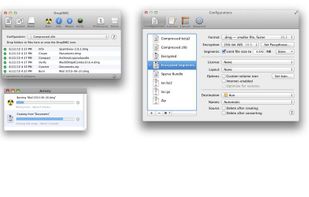
DropDMG is the easiest way to create Mac OS X disk images, as well as cross-platform archives. Just drag and drop a folder or file and you're done. Or, you can drag an existing disk image or archive onto DropDMG to convert it to any of the other supported formats or to burn...

Cost / License
- Pay once
- Proprietary
Application type
Platforms
- Mac


Features
DropDMG News & Activities
Highlights All activities
Recent activities
- POX added DropDMG as alternative to Rilmazafone
DropDMG information
Developed by
 Michael Tsai
 Licensing
Proprietary and Commercial product.Pricing
One time purchase (perpetual license) that costs $24.Alternatives
9 alternatives listedBadge
Get an embeddable badge for DropDMGSupported Languages


Comments and Reviews
Trying to transfer over files from my old Mac OS 9 computer was a total nightmare—no ethernet port, no USB port, no CD burner. Finally managed it via an old SCSI hookup external zip drive and a USB drive on an intermediate computer. But when I got the files into my virtual OS using SheepShaver, what do I find? The files don't work because Mac OS 9 uses a forked file structure!
DropDMG saves the day!!!! I only used the trial version, but I made an empty, 200MB .dmg file with Disk Utility, converted it to .img with DropDMG, moved it to a USB drive, then to a zip disk, and onto the old Mac. Loaded up the IMG, copied it back to the zip, back to the USB, into the virtual OS and Voila! My files.
Only downside is that for some reason, after it was filled and loaded into the Virtual OS 9, the .img file gave an error and wouldn't load (though the empty one did on the Virtual OS, same as it did on the real old computer.) But once I juggled conversions—I converted the filled .img disk image back to .dmg, and then BACK to .img again—then it loaded fine.
It took me a hell of a time to find a good tool to make a .img file, so I'm posting it here so others can find it more easily.
Pros: Can convert disk images from .dmg to .img and back, whether full or empty, and apparently can juggle a bunch of different formats. Actually, it appears to be able to create a blank disk image also, or create a full one from files or folders. (I didn't know that before.)
Cons: None particularly, although you should know that the .img files can't be loaded with Disk Utility. (They're for OS 9.) Costs $24.