Dropzone Alternatives

Dropzone is described as 'Productivity app for the Mac that makes it faster and easier to move and copy files, launch applications, upload to many different services, and more' and is an app in the backup & sync category. There are more than 25 alternatives to Dropzone for a variety of platforms, including Mac, Windows, iPhone, iPad and Linux apps. The best Dropzone alternative is Fences. It's not free, so if you're looking for a free alternative, you could try Tokri or Droppy for macOS. Other great apps like Dropzone are Sparkle AI, DeskSweep, Folder Hub and Yoink.

Copy a direct link to this comment to your clipboard
Dropzone alternatives page was last updated

Alternatives list

  1. DropPoint icon
     6 likes

    A free and open source alternative to Dropover, that makes dragging and dropping of files seamless. Works on Windows Linux and Mac.

    Cost / License

    Platforms

    • Mac
    • Windows
    • Linux
     
  2. nFiles icon
     6 likes

    Upload, get URLs to share.

    Need direct download links of files? Use nFiles iOS app or mail to i@nfil.es, get short URL to share. No signup, unlimited & no expiration.

    58 nFiles alternatives

    Cost / License

    • Free
    • Proprietary

    Platforms

    • Online
    • iPhone
     
  3. FileFillet icon
     2 likes

    The Mac app that makes organizing files a breeze.

    Cost / License

    • Paid
    • Proprietary

    Platforms

    • Mac
     
  4. Shelfit icon
     4 likes

    Worry less about juggling multiple windows or deciding where you want to store things. With Shelfit you can quickly open up a shelf, drag files in, and then when you're ready just drag them back out.

    Cost / License

    • Paid
    • Proprietary

    Application type

    Platforms

    • Windows
     
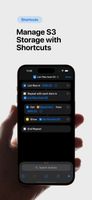
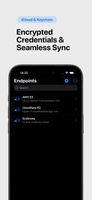
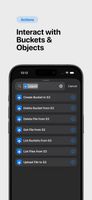
  5. Upper simplifies managing S3-compatible storage directly from your iPhone or iPad. Easily create, list, and delete buckets, upload, download, and manage files — all from the Shortcuts app.

    Cost / License

    • Paid
    • Proprietary

    Platforms

    • iPhone
    • iPad
     
  6. Dragthing icon
     7 likes

    DragThing is the original dock designed to tidy up your Macintosh desktop.

    It puts all your documents, folders, and applications just a single click away. Highly flexible, it allows multiple docks, each customised to suit your exact needs.

    It stores frequently-used clippings su.

    70 Dragthing alternatives

    Cost / License

    • Freemium
    • Proprietary

    Application type

    Alerts

    • Discontinued

    Platforms

    • Mac
     
    |
    1
    Comments about Dragthing as an Alternative to Dropzone
    Guest
    Negative
    0

    DragThing is a 32-bit Carbon API that Apple has now removed in macOS 10.15 Catalina. It will No Longer run if you update Catalina, and there are no plans to make a new version that will.

    Review by a new / low-activity user.
    Dragthing icon
    Dragthing icon
    • Dragthing is Freemium and ProprietaryDropzone is Paid and Proprietary
  7. Mywe Desktop manager is an all-around desktop enhancer that aims to improve your productivity, by providing you with a wide range of desktop functionality enhancements (Virtual desktop, autohide, live window, transparency, Lightbox, Z-Index).

    Cost / License

    • Free
    • Proprietary

    Platforms

    • Windows
     
  8. Dropshelf icon
     3 likes

    Dropshelf is a place to put things. Drag anything to the edge of the screen, and a shelf slides out. Drop files, text clippings and links — whatever you want to keep handy.

    15 Dropshelf alternatives

    Cost / License

    • Paid
    • Proprietary

    Application type

    Platforms

    • Mac
     
  9. Papaya icon
     4 likes

    Over the internet, or even a local network, sending files to other computers can be a pain. Papaya solves this problem. Drop a file or folder onto Papaya, and you get back an address through which others can access that item.

    Cost / License

    • Free
    • Proprietary

    Alerts

    • Discontinued

    Platforms

    • Mac
     
  10. FileShuttle icon
     3 likes

    Your screenshots are automatically uploaded on your web storage. The URL is in the pasteboard when the upload is finished. / FileShuttle support FTP and SFTP protocols to upload your files on your own web storage. / Drop a file on the dock icon to upload the file and get the URL.

    Cost / License

    • Free
    • Open Source

    Application type

    Platforms

    • Mac
     
  11. WFolder icon
     1 like

    Windows application for creating widgets, which can be linked to folders (except the Recycle Bin), creating notes (WNotes), or creating shortcut containers (WLinks). From within the widgets, you can interact with files and other folders.

    26 WFolder alternatives

    Cost / License

    • Free Personal
    • Proprietary

    Platforms

    • Windows
     
You are at page 2 of Dropzone alternatives