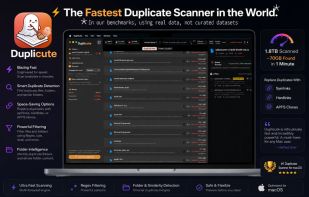
Don't let the name or the cute mascot fool you. Duplicute is the fastest, most powerful, and most advanced duplicate file cleaner available—built from the ground up for safety and precision.
- Detect similar or exact duplicate folders
- Hashing algorithm guarantees every single file identified in a group is 100% bit by bit the exact same.
- Remove or replace duplicates with symlinks, hard links, and APFS Clones
- Adjust hashing method, and block size.
- Designate packages as either single files, or folders, and scan their contents individually.
Whether you are cleaning up a messy hard drive, organizing photography backups, or freeing up precious SSD space, Duplicute gives you surgical control over what gets deleted and how your storage is reclaimed.
POWERFUL DETECTION
• 100% Bit-by-Bit Accuracy: Advanced hashing algorithms guarantee every file identified in a group is an exact, flawless copy.
• Folder Intelligence: Compare folder trees to detect exact duplicate folders or find similar folders based on a customizable minimum overlap percentage.
• Lightning Cache: Subsequent scans are significantly faster thanks to an intelligent hash caching system.
• Package Scanning: Choose to treat macOS packages (like app bundles) as single files, or peer inside to scan their individual contents.
SAFEST REMOVAL OPTIONS
• Advanced Replacement: Don't just trash files. Replace duplicates with Symlinks, Hardlinks, or space-saving APFS Clones to keep your file structures intact.
• Reference Folders: Designate specific "safe" folders. Duplicute will always prioritize keeping the original file in your Reference Folder while cleaning up the copies elsewhere.
• Preview & Undo: See exactly what will happen before committing to any changes. Made a mistake? Duplicute includes an Undo feature to restore trashed files.
• Smart Selection: Automatically suggest which file to keep based on the oldest modification date, newest modification date, or shortest file path, or custom selection,
PRO-LEVEL CUSTOMIZATION
• Adjustable Hashing: Fine-tune the engine by adjusting the hashing method (Header + Footer, Header only, Footer only) and customizing the byte block size.
• Granular Filtering: Skip files below a certain size to speed up scans, and utilize regex filtering to easily parse through massive duplicate lists.
• Quick Look Integration: Instantly preview any duplicate file, if you have our free Quick Look plugin app, LookQuick, you get enhanced previews, showing the insides of folders, archives, and many other formats.
Supports English only currently, more language support will be added in upcoming updates.







 TheCool added Duplicute as alternative to Duplicate File Finder, DuoBolt, Cisdem Duplicate Finder and Duplicate Cleaner


 Inspirationull


