




DWService
100 likes
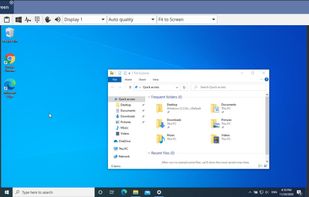
DWService is a half (only the client/agent) open source project which offers a service that allows access to remote systems (Windows, Mac, Linux, Raspberry...) using a standard web browser - without any component required on the client side.

Cost / License
- Freemium (Subscription)
- Open Source
Application type
 EU
EUPlatforms
- Mac
- Windows
- Linux
- Android
- Raspberry Pi


Features
DWService News & Activities
Highlights All activities
Recent News
No news, maybe you know any news worth sharing?
Share a News TipRecent activities
- vexaro_llc liked DWService
 Gia-Bursulaia added DWService as alternative to BURSU Connection Manager
 tsoftbala added DWService as alternative to Rednote Mirror
 POX added DWService as alternative to Astropad Workbench
- Begenmedikler1m liked DWService
 libo added DWService as alternative to AFK Remote


Featured in Lists

A list with 68 apps by DPT without a description.
List by DPT with 68 apps, updated

Remote access tools that can run on infrastructure you control, rather than only through a vendor's cloud. Useful...
List by vexaro_llc with 8 apps, updated

My collection of basic software for Windows with a free license, which is suitable for solving various everyday tasks.
List by Igor Potapov with 25 apps, updated

What is DWService?
DWService information
Developed by
 DWSNET OÜ
 Licensing
Open Source and Freemium product.Pricing
Subscription ranging between $2 and $100 per month + free version with limited functionality.Written in
Rating
Average rating of 4.3Alternatives
124 alternatives listedBadge
Get an embeddable badge for DWServiceSupported Languages

AlternativeTo Categories
Network & Admin, Security & Privacy, System & Hardware, Remote Work & EducationGitHub repository
- 583 Stars
- 116 Forks
- 53 Open Issues
- Updated


Comments and Reviews
I just started using it, the web interface is very clean and remote screen very responsive, a lot more than what I expected from a web app.
The clipboard transfert tool (so you can transfert notes from your clipboard to the remote computer's clipboard and inversely) is insanely useful, and is something I rarely seen in remote desktop tools.
It's also possible to transfert files, and there is a monitoring tab (mimicking the task manager: info about CPU and memory usage, drives space, etc.).
It's also opensource, which is just amazing. Kudos to the dev, that's great work!
I've been using DWService for about 4 years for internal IT support and remote access for a small company with
It works well, and it's reliable! The freemium aspect is to dedicate more bandwidth for your group. If you have very low bandwidth needs, you can use it for free (Donations are GREATLY appreciated, and recommended if you're using it professionally). The interface is not as slick as some alternatives, but there is zero nagging, and client access is all via a browser, no client is necessary. Install the service on the remote machine, then connect to it via your browser. Works for both attended and unattended solutions.
My new fav remote management solution!
I've used several programs for remote access and this is by far the best, at least for my needs. Even using the free version (without subscription) it is very fast. Program made by those who understand the subject, great tools.
Very good alternative to Anydesk !!! I recommend it ... take a look. Some things that occur to me to improve:
I've tried several remote support softwares and for personal use, I think DWService is the best option. It's ease to use, it's fast and FREE. Another option is RustDesk, but it lacks a portal to login and manage your machines. Said that, DWService is my choice.
free with unique features like remote running of command line shell and remote file management, all done in the background