


Easy Deploy
Like
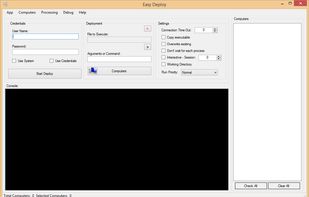
Front end GUI of PsExec (from Sysinternal). Useful if you want to deploy software on multiple pc at the same time, easily, quickly.

Cost / License
- Free
- Open Source (GPL-3.0)
Alerts
- Discontinued
Platforms
- Windows


Discontinued
The latest update is from 2018.

Features
Easy Deploy News & Activities
Highlights All activities
Recent activities
No activities found.
Easy Deploy information
Developed by
Andy AmayaLicensing
Open Source (GPL-3.0) and Free product.Written in
Alternatives
3 alternatives listedBadge
Get an embeddable badge for Easy DeploySupported Languages

AlternativeTo Categories
Network & Admin, OS & UtilitiesGitHub repository
- 10 Stars
- 4 Forks
- 0 Open Issues
- Updated


No comments or reviews, maybe you want to be first?