





Edconv
1 like
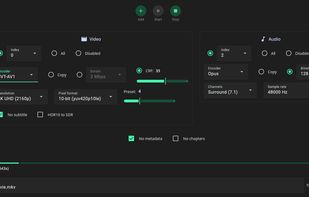
A user-friendly interface that simplifies the power of FFmpeg. It's designed for fast and efficient conversion of video and audio files.

Cost / License
- Free Personal
- Open Source (GPL-3.0)
Application typeApplication types
Platforms
- Mac
- Windows
- Linux

Features
Edconv News & Activities
Highlights All activities
Recent activities
 roryk added Edconv as alternative to Clip Squeezer
- Wierzciu liked Edconv
- Maoholguin updated Edconv
- RemovedUser added Edconv
 RemovedUser added Edconv as alternative to Shutter Encoder, HandBrake, FFmpeg and File Converter


Edconv information
Developed by
 edneyosf
 Licensing
Open Source (GPL-3.0) and Free Personal product.Alternatives
47 alternatives listedBadge
Get an embeddable badge for EdconvSupported Languages
AlternativeTo Categories
Video & Movies, Audio & Music, System & HardwareGitHub repository
- 763 Stars
- 31 Forks
- 7 Open Issues
- Updated


No comments or reviews, maybe you want to be first?