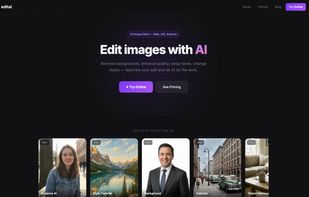
EditAI is a browser-based and mobile photo editor where every operation starts from a natural-language description. Instead of mastering layers, masks, brushes and selection tools, users describe the change they want — "isolate the subject and put it on a clean studio background", "give him a beard and aviator sunglasses", "color this 1962 photo realistically", "make this product shot look like it was taken in golden hour" — and one of three state-of-the-art models executes the edit:
Nano Banana 2 — fast, photoreal, excellent at subject preservation and outfit/background changes
Seedream 5 — strongest at stylistic transfer and creative reinterpretations
Grok Image — sharpest for compositional edits, object insertion/removal and text-in-image fidelity
EditAI auto-routes each prompt to the best model for the requested change.
Core capabilities (all driven by text, all combinable in a single prompt):
-Background removal, replacement, and AI-generated scene backgrounds
-Face swap and selective face edits (hairstyle, age, expression, accessories)
-Outfit and wardrobe changes
-Object removal (people, cars, signs, distractions) and clean fills
-Style transfer (anime, oil paint, watercolor, cinematic, retro film stocks)
-Photo restoration: scratch removal, colorization of B&W, sharpening of soft scans
-Age progression and regression
-Lighting, white-balance and color-grade correction
-4K upscaling for print-quality output
-500+ curated one-click filters covering portraits, products, social media aesthetics, anime/cartoon styles, vintage looks, and creative concepts
Workflow: drop an image (drag-and-drop, file picker, or mobile camera), type the edit you want, get the result in seconds. Iterate by stacking prompts, each edit builds on the last with full undo. Save versions to your account, share via link, or download in JPG/PNG/WebP at original or 4K resolution.
Who it's for: solo creators, e-commerce sellers who need consistent product imagery, marketers iterating on ad creative, real-estate agents staging listing photos, photographers retouching client work at scale, and anyone tired of pricing Photoshop subscriptions just to remove a background.







 EU
EU


 Vidmud added EditAI as alternative to Vidmud AI Studio
 iyia_ added EditAI as alternative to Easy Editor AI, Topaz Bloom, HitPaw FotorPea and SpotBuzz - AI Image Editor

 IYIA
IYIA