


Elgato Stream Deck
1 like
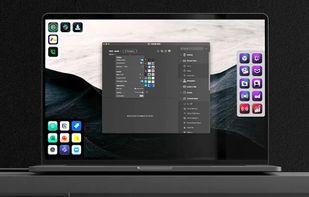
Enables customizable virtual control panels across Mac, Windows, iOS, and Android with plugin integrations, multi-action workflows, profiles, animated icons, folders, mobile wireless access, app control, and support for streamers, creators, and advanced automation.

Cost / License
- Freemium (Pay once or Subscription)
- Proprietary
 EU
EUPlatforms
- Mac
- Windows
- Android
- iPhone
- iPad


+10


Features


Elgato Stream Deck News & Activities
Highlights All activities
Recent News
- Fla published news article about Elgato Stream Deck
 Zoom plugin launched for Stream Deck with camera, mute, and reaction controls
Elgato has released a Zoom plugin for Stream Deck, enabling direct control of camera, mute, screen ...
- Maoholguin published news article about Elgato Stream Deck
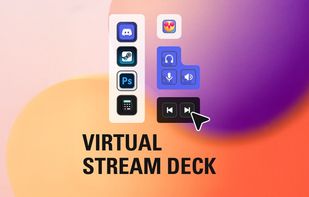
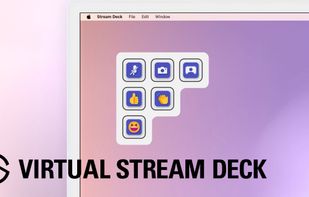
 Elgato launches Virtual Stream Deck, adding desktop control tools on any screen
Elgato introduced the Virtual Stream Deck as the flagship of its Stream Deck Everywhere initiative....
- Maoholguin published news article about Wave Link
 Elgato launches Wave Link 2.0 with enhanced audio routing, app grouping & sample recorder
Elgato has launched Wave Link 2.0, a major update to its audio mixing software. Key features includ...


Recent activities
- Begenmedikler1m liked Elgato Stream Deck
Featured in Lists

NOT ALL OF THESE I USE OR ENDORSE Mainly for my own tracking, but it can double up as a "portfolio" for...
List by ICTman1076 with 41 apps, updated


What is Elgato Stream Deck?
Elgato Stream Deck information
Developed by
 Elgato
 Licensing
Proprietary and Freemium product.Pricing
One time purchase that costs up to $50, and / or subscription ranging between $3 and $25 per month + free version with limited functionality.Alternatives
15 alternatives listedNews
10 news article related to Elgato Stream DeckBadge
Get an embeddable badge for Elgato Stream DeckSupported Languages
AlternativeTo Categories
Office & Productivity, Gaming SoftwareApple AppStore
- Updated
- 4.64 avg rating


Comments and Reviews
Pros:
--Allows you to evaluate Elgato's control software to see if it suits your purposes.
--Allows you to check out the community-generated content you can load into your Stream Deck setup.
--It is cheap if you want to trial it for a while before getting a real Stream Deck using a subscription. A cheap subscription gives you far less buyer's remorse than buying a device whose software falls flat for your use case.
Cons:
--When it works. The software has huge reliability issues in my experience. It won't always connect or stay connected to the machine running the software.
--You are limited to only 15 buttons found on a mid-level device. You cannot simulate an XL device which as 32 buttons, nor can you simulate the six-button mini device.
(NOTE: The rest of my criticisms extend to Elgato's host software rather than the Stream Deck part that runs on your phone or tablet.)
--The software only talks to one OBS instance, and it has to be on the same machine as the software is running on.
--It does not use Websockets which means you can only use it via its own software's bundled plugins. Although BarRaider's package does use Websockets, it only talks to one instance, and I need to talk to three installations, making SAMMI a more suitable solution for me.
Not working. asking payment.