





FamilyProtect
Like
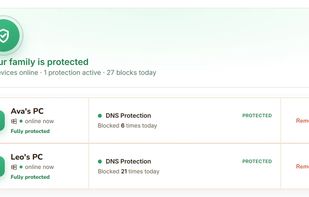
FamilyProtect is parental control software for Windows PCs. It filters web content at the DNS layer rather than through a browser extension or a single browser's settings, so one policy covers Chrome, Edge, Firefox, portable browsers run from a memory stick, game launchers...

Cost / License
- Subscription
- Proprietary
Application typeApplication types
Platforms
- Windows


Features
FamilyProtect News & Activities
Highlights All activities
Recent activities
- jamieede added FamilyProtect
 jamieede added FamilyProtect as alternative to Qustodio Parental Control, Net Nanny and Microsoft Family Safety


FamilyProtect information
Developed by
 Get Family Protect
 Licensing
Proprietary and Commercial product.Pricing
Subscription ranging between $5 and $6 per month.Alternatives
3 alternatives listedBadge
Get an embeddable badge for FamilyProtectSupported Languages


No comments or reviews, maybe you want to be first?