

Feedr
1 like
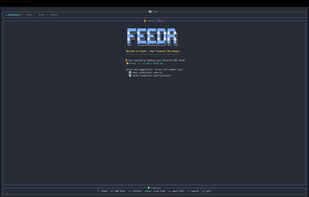
Feedr is a feature-rich terminal-based RSS feed reader written in Rust. It provides a clean, intuitive TUI interface for managing and reading RSS feeds with elegant visuals and smooth keyboard navigation.
Cost / License
- Free
- Open Source (MIT)
Platforms
- Rust
- Linux
- Mac
- Windows
- BSD
Features
- Import/Export OPML Feeds
- Command line interface
- Terminal-based
- Tui
- Support for Keyboard Shortcuts
- Integrated Search
Feedr News & Activities
Highlights All activities
Recent activities
K0RR added Feedr as alternative to FeedReader Online and Apple News
Feedr information
No comments or reviews, maybe you want to be first?
What is Feedr?
Feedr is a feature-rich terminal-based RSS feed reader written in Rust. It provides a clean, intuitive TUI interface for managing and reading RSS feeds with elegant visuals and smooth keyboard navigation.
Features:
- Dashboard View: See the latest articles across all your feeds, sorted chronologically
- Feed Management: Subscribe to and organize multiple RSS/Atom feeds
- Feed Auto-Discovery: Paste any webpage URL and Feedr will detect and offer to subscribe to its RSS/Atom feeds
- Starred Articles: Save articles for later with a dedicated starred view
- Categories: Organize feeds into custom categories with create, rename, and delete support
- Tree View: Browse feeds in a hierarchical tree grouped by category
- Advanced Filtering: Filter articles by category, age, author, read status, starred status, and content length
- Dual Themes: Switch between a dark cyberpunk theme and a light zen theme with t
- Live Search: Instantly search across all feed titles and article content
- Summary View: "What's New" screen shows articles added since your last session with per-feed stats
- Read/Unread Tracking: Persistent read state tracking across sessions
- Mark All Read: Quickly mark all visible items as read with m
- Article Preview: Toggle an inline preview pane in the dashboard view
- Link Extraction: Extract and browse all links from an article with l
- Full-Text Extraction: Strip away summaries and read the actual article content inline via Mozilla Readability — manual on Shift+F, or auto-extract on refresh per feed with fulltext = true
- Help Overlay: Press ? for a scrollable keybinding reference overlay
- OPML Import: Bulk import feeds from OPML files via feedr --import <file.opml>
- Browser Integration: Open articles in your default browser
- Mouse Support: Click to select items and scroll with the mouse wheel
- Background Refresh: Automatic feed updates with configurable intervals and smart rate limiting
- Rate Limiting: Per-domain request throttling prevents "too many requests" errors (ideal for Reddit feeds)
- Vim-Style Navigation: Use j/k alongside arrow keys for navigation
- Rich Content Display: HTML-to-text conversion with clean article formatting
- Authenticated Feeds: Support for custom HTTP headers per feed (e.g., Authorization: Bearer ...) for private/authenticated RSS feeds
- Compact Mode: Automatic compact layout for small terminals (=30 rows), with manual always/never override in config
- CLI Config Management: Get, set, and list configuration from the command line (feedr config), or use the interactive TUI config editor (feedr config --tui)
- Configurable Keybindings: Remap any key action via the [keybindings] section in config.toml
- External-Command Hooks: Newsboat-style macros (pipe-to, exec) bound to keys, plus exec_on_new notifications fired per new item — all with shell-free argument templating
- Configurable: Customize timeouts, themes, UI behavior, and default feeds via TOML config


