





Filewright
Like
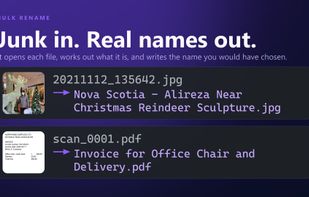
Bulk file renamer that reads each file and writes a name that says what it is. The AI runs on your PC, your files are never uploaded, and it works offline.

Cost / License
- Freemium (Pay once)
- Proprietary
Application typeApplication types
Platforms
- Windows


Features
Filewright News & Activities
Highlights All activities
Recent activities
- alirezanoorisoftware added Filewright
 alirezanoorisoftware added Filewright as alternative to Bulk Rename Utility, Advanced Renamer, PowerRenameExt and Renamer
Filewright information
Developed by
 Alireza Noori Software
 Licensing
Proprietary and Freemium product.Pricing
One time purchase (perpetual license) that costs $30 + free version with limited functionality.Alternatives
16 alternatives listedBadge
Get an embeddable badge for FilewrightSupported Languages


No comments or reviews, maybe you want to be first?
