





Getscreen.me
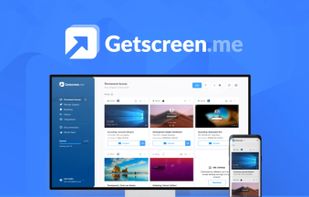
Enables remote desktop sessions in any browser on major platforms including Windows, macOS, Linux, and Android, with instant support, secured HTTPS with AES encryption, in-session chat, API access, integrations, team features, and file transfer support.

Cost / License
- Pay once or Subscription
- Proprietary
Application type
 EU
EUPlatforms
- Mac
- Windows
- Linux
- Android
- Telegram
- Google Chrome
- Jira
- LiveChat


Features
Getscreen.me News & Activities
Recent News
Recent activities
 uniquegodwin added Getscreen.me as alternative to DeskVNC
- Fla updated Getscreen.me
 tsoftbala added Getscreen.me as alternative to Rednote Mirror
I think getscreen.me is a very reliable and fast way to share desktop. It is possible to use a simple internet connection to establish a remote desktop vs a client application. The connection is so fluid that is possibile to play some casual game without any problem. I tried some other products (like TeamViewer) that do the same (remote desktop without a client side application) but i think getscreen is cheaper and also in the free version don't give any limitation on session time.
- Begenmedikler1m liked Getscreen.me
Nice software, very easy to use. Can be use with web browser or with a windows/linux and also android. Highly recommend!
 libo added Getscreen.me as alternative to AFK Remote
The best working solution in my case. Totally recomended!
Getscreen.me is a fast, simple, and very reliable remote desktop tool. Setup is quick, interface is clean, and performance is excellent even on low internet speed. Perfect for remote support and daily use. Highly recommended!
I like Get Screen because it is easy to set up and lightweight. Also, it is has many cool features like remote access.



What is Getscreen.me?
Getscreen.me Videos
Getscreen.me information
Developed by
 Getscreen.me Software
 Licensing
Proprietary and Commercial product.Pricing
One time purchase ranging between $139 and $140, and / or subscription ranging between $4 and $8 per month.Alternatives
21 alternatives listedBadge
Get an embeddable badge for Getscreen.meSupported Languages


Comments and Reviews
I think getscreen.me is a very reliable and fast way to share desktop. It is possible to use a simple internet connection to establish a remote desktop vs a client application. The connection is so fluid that is possibile to play some casual game without any problem. I tried some other products (like TeamViewer) that do the same (remote desktop without a client side application) but i think getscreen is cheaper and also in the free version don't give any limitation on session time.
Nice software, very easy to use. Can be use with web browser or with a windows/linux and also android. Highly recommend!
The best working solution in my case. Totally recomended!
I recently discovered some pretty cool remote desktop software for both personal & commercial use & the pricing is definitely one of the many pros of this software, they even have a free lifetime version for low needs requirements which works very well for being free. The app is called getscreen.me & works on many platforms.
I like Get Screen because it is easy to set up and lightweight. Also, it is has many cool features like remote access.
Getscreen.me is a fast, simple, and very reliable remote desktop tool. Setup is quick, interface is clean, and performance is excellent even on low internet speed. Perfect for remote support and daily use. Highly recommended!
Getscreen.me is a good software. Easy to operate and very convenient to use to fix issues with family computer remotely. And it's cross-platform and have web interface, so no need in installing dashboard. It has dashboard app, but it's just site as an app. It would be great if it has a special and optimized application for computers