




Google Family Link
10 likes
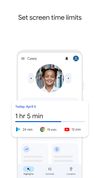
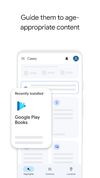
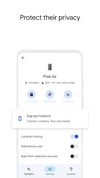
Whether your children are younger or in their teens, the Family Link app lets you set digital ground rules to help guide them as they learn, play, and explore online. For children under 13 (or the applicable age of consent in your country), Family Link also lets you create a...


+3

Cost / License
- Free
- Proprietary
Application type
Platforms
- Android
- iPhone
- Chrome OS

Features
Google Family Link News & Activities
Highlights All activities
Recent News
No news, maybe you know any news worth sharing?
Share a News TipRecent activities
 groowble added Google Family Link as alternative to Groowble
 suyashsngh250 added Google Family Link as alternative to Kubo - Parental Control
 kids360 added Google Family Link as alternative to Kids360
 greg01491 added Google Family Link as alternative to My Digital Nanny
 Tempmailuser added Google Family Link as alternative to AirDroid Parental Control
 709yh added Google Family Link as alternative to Screenwise
 Danilo_Venom added Google Family Link as alternative to mSpy




What is Google Family Link?
Google Family Link information
Developed by
 Google
 Licensing
Proprietary and Free product.Alternatives
33 alternatives listedBadge
Get an embeddable badge for Google Family LinkSupported Languages
AlternativeTo Categories
Security & Privacy, Home & FamilyApple AppStore
- Updated
- 4.68 avg rating


Comments and Reviews
"This app is available only on the App Store for iPhone." Can anyone recommend a similar app for macOS?
https://apps.apple.com/us/app/google-family-link/id1150085200
Family link us is more than useless on a PC. It makes iit so the chrome browser is useless. Requires the link administrator to log in each time the browser is restarted just for my kid to check his e-mail. One of the reasons I wanted it is to control the Youtube my kid watches. Once family like is installed, if the kid is longed in they can no longer watch youtube on the PC. This program is only for Android and sort of for chromebooks. I wish the description of what this does was much more clear.
As of August 2019, in order to add a child profile to a phone or tablet, the child profile needs to be the main profile on the device. If you want to add other users (like parents) you need to set child permission to manage users/accounts on that device in your parent's version of Family Link.
There's no way to add another child profile to already supervised device, so bear that in mind if you own a shared/family tablet, and if you add yourself (an adult/parent account) first, you won't be able to add any children as additional profiles, unless you disable supervision for their accounts.
Also, there are so many ways for the kids to work around the lockdown, and use the phones/tablets when they're supposed to be locked, that it's really easier just talking to your kids, than fighting this app shortages and bad design.