H.264 Encoder Alternatives

H.264 Encoder is described as 'This simple software reduce effectively video's size' and is a Video Converter in the video & movies category. There are more than 100 alternatives to H.264 Encoder for a variety of platforms, including Windows, Mac, Linux, Web-based and Android apps. The best H.264 Encoder alternative is HandBrake, which is both free and Open Source. Other great apps like H.264 Encoder are FFmpeg, Avidemux, File Converter and Shutter Encoder.

Copy a direct link to this comment to your clipboard
H.264 Encoder alternatives page was last updated

Alternatives list

  1. DocsPal icon
     8 likes

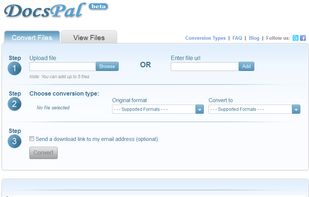
    DocsPal is a free online file converter. Convert your files online, instantly and for free: documents, video, audio, images, e-books, archives. You can also view your document directly in our Viewer page. And there is no need to download any software.

    Cost / License

    • Free
    • Proprietary

    Application type

    Platforms

    • Online
     
  2. avconv icon
     2 likes

    avconv is a very fast video and audio converter that can also grab from a live audio/video source. It can also convert between arbitrary sample rates and resize video on the fly with a high quality polyphase filter.

    Cost / License

    • Free
    • Open Source

    Application type

    Alerts

    • Discontinued

    Platforms

    • Linux
     
  3. FFmpegYAG icon
     11 likes

    FFmpegYAG is an advanced GUI for the popular FFmpeg audio/video encoding tool.

    Cost / License

    • Free
    • Open Source

    Alerts

    • Discontinued

    Platforms

    • Windows
    • Linux
     
  4. Transmageddon icon
     5 likes

    Transmageddon is a video transcoder for Linux and Unix systems built using GStreamer. It supports almost any format as its input and can generate a very large host of output files. The goal of the application was to help people to create the files they need to be able to play on...

    Cost / License

    • Free
    • Open Source

    Application type

    Alerts

    • Discontinued

    Platforms

    • Linux
     
  5. Panther is a free and open source program that you can use to encode your audio and video files from one format to the other. It has a simple user interface and should be very easy to get started with. It can even reduce the size of music files.

    Cost / License

    • Free
    • Open Source

    Application type

    Alerts

    • Discontinued

    Platforms

    • Windows
    • Linux
     
  6. Format Junkie icon
     2 likes

    Format Junkie is a Linux application for converting audio, video and image files to multiple popular different formats. The program is just a frontend to avconv and to ImageMagick.

    Cost / License

    • Free
    • Open Source

    Application type

    Alerts

    • Discontinued

    Platforms

    • Linux
     
  7. TMPGEnc 4.0 Video Mastering Works gives you the freedom to take almost any video file and encode it to your desired file format including DivX, AVI, QuickTime, MPEG 4-ISO, H.264, DVD-Video, DVD-VR, HDV camcorder, Blu-ray Disc and much more.

    Cost / License

    • Paid
    • Proprietary

    Application type

    Platforms

    • Windows
     
  8. AVI-Mux GUI icon
     1 like

    AVI-Mux GUI is an application that allows to combine several video, audio or subtitle files into one file, with out without size restriction, allowing to configure properties of the output file to a deeper level than usual for such applications.

    Cost / License

    • Free
    • Open Source

    Application type

    Alerts

    • Discontinued

    Platforms

    • Windows
     
  9. TEncoder is a multithreaded video and audio converter that uses MEncoder, MPlayer and FFMpeg. It can convert almost every video and audio type to each other. Subtitles with same name as video can be hard-coded into video.

    Cost / License

    • Free
    • Open Source

    Application type

    Alerts

    • Discontinued

    Platforms

    • Windows
    • Linux
    • Wine
     
  10. The File Converter will convert to and from nearly any file format!

    The File Converter can convert Videos, Audio, Documents, Ebooks, Images and Archives!

    1. Choose your input file

    2. Choose your output file format and file name

    3. Convert!

    4. Open your file in another app su.

    Cost / License

    • Paid
    • Proprietary

    Application type

    Platforms

    • iPhone
    • iPad
     
  11. • Easily create movies that will play on your standalone player with the DivX and XviD codecs

    Cost / License

    • Freemium
    • Proprietary

    Alerts

    • Discontinued

    Platforms

    • Windows
     
You are at page 5 of H.264 Encoder alternatives