




HandyPIM
Like
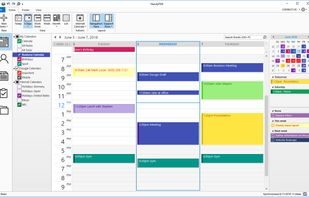
This is a less-cluttered and quite stylish PIM which , being easy to understand, is better more suited for home users than most other commercial offerings. It can be used in offline mode if you dont want half the planet reading your private information.

Cost / License
- Pay once
- Proprietary
Platforms
- Windows


Features
HandyPIM News & Activities
Highlights All activities
Recent activities
No activities found.
HandyPIM information
Developed by
UnknownLicensing
Proprietary and Commercial product.Pricing
One time purchase (perpetual license) ranging between $40 and $65.Alternatives
1 alternatives listedBadge
Get an embeddable badge for HandyPIMSupported Languages

Comments and Reviews
I used HandyPIM for a couple years. It's OK. But it's a bit expensive (to purchase and also to renew), a bit clunky, and its continued usability depends on an ever-changing Google API.
Eventually, I started wondering why I was using HandyPIM at all. What does it offer that I can't do directly in Google Calendar? Not much at all.
So what I did was log into Google Calendar in Microsoft Edge, and then select the three-dot menu Apps "Install this site as an app". I've been using Google Calendar as an app ever since.
Then I uninstalled HandyPIM.