


HTTP Debugger
8 likes
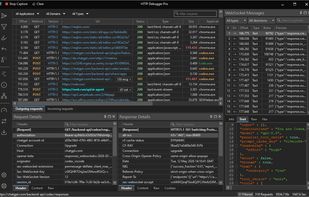
HTTP Debugger captures and decrypts HTTP/HTTPS from any Windows app without proxy setup — HTTP/2, WebSocket, SSE, gRPC and localhost included. Edit and replay requests, modify traffic on the fly, and let an AI assistant read the session over the built-in MCP server.

Cost / License
- Pay once
- Proprietary
Application typeApplication types
Platforms
- Windows


Features
HTTP Debugger News & Activities
Highlights All activities
Recent activities
 Tom-Wolf added HTTP Debugger as alternative to Piper HTTPS Proxy
- khachaturpetrosyan updated HTTP Debugger
 khachaturpetrosyan added HTTP Debugger as alternative to mitmproxy
- khachaturpetrosyan updated HTTP Debugger
- khachaturpetrosyan updated HTTP Debugger
 POX added HTTP Debugger as alternative to Rockxy
 muizidn added HTTP Debugger as alternative to Network Spy
 imchrisorz added HTTP Debugger as alternative to HTTPeep
- POX added HTTP Debugger as alternative to babyshark
 POX added HTTP Debugger as alternative to Edgeshark


HTTP Debugger information
Developed by
UnknownLicensing
Proprietary and Commercial product.Pricing
One time purchase (perpetual license) that costs $129.Alternatives
45 alternatives listedBadge
Get an embeddable badge for HTTP DebuggerSupported Languages


No comments or reviews, maybe you want to be first?