iBrightness Tray Alternatives
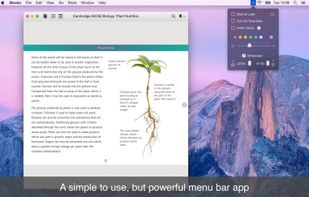
iBrightness Tray is described as 'Little bit of a swiss army knife display tool as adjusting the brightness of your screen is just one of three main functions it has. The other two are turning on your screensaver at the click of a button and also the ability to turn off the display' and is a Screen Dimmer in the system & hardware category. There are more than 50 alternatives to iBrightness Tray for a variety of platforms, including Windows, Mac, Linux, Wayland and Android apps. The best iBrightness Tray alternative is f.lux, which is free. Other great apps like iBrightness Tray are Redshift, Twinkle Tray, Solace and LightBulb.
Alternatives list

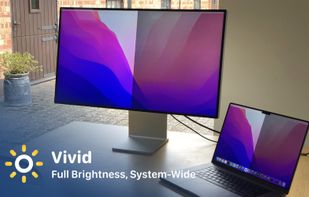
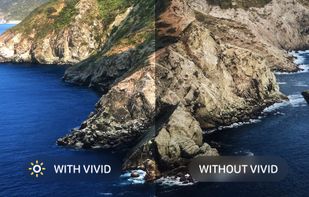
Vivid is a software that enables users to amplify the brightness of their MacBook Pro and Pro Display XDR, system-wide, utilizing standard Apple APIs.
Cost / License
- Paid
- Proprietary
Platforms
- Mac


 50 Desktop Dimmer alternatives
Enable darker-than-dark dimming for internal and external screens.
Platforms
- Mac
- Windows
- Linux
- Global


 50 Lux Auto Brightness alternatives
Lux Automatically Adjusts Your Screen Brightness.
Cost / License
- Freemium
- Proprietary
Platforms
- Android

 53 Windows Night Light alternatives
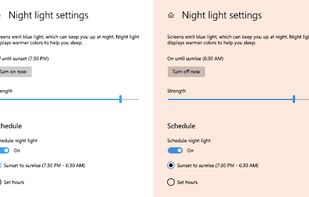
To schedule Night Light so it turns on automatically, select Start > Settings > System > Display > Night light > Night light settings.
Cost / License
- Free
- Proprietary
Application typeApplication types
Platforms
- Windows

 59 DimScreen alternatives
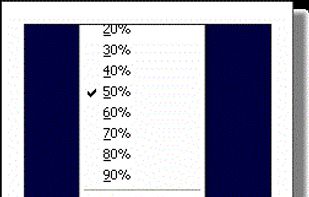
Form 1 Hour Software by skrommel, it can dim the screen by applying a transparent gray layer on top of your opened applications
Cost / License
- Free
- Proprietary
Application type
Platforms
- Windows
 United States

 57 Eye Saver alternatives
Free software for eye protection and more! It protects your eyes while you are working on the computer. Eye Saver has three main functions: blue light filter; eliminates the invisible flickering of the display backlight; reminds you to take breaks;
Cost / License
- Free
- Proprietary
Application typeApplication types
Platforms
- Windows
 United Kingdom
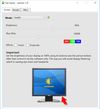


NightTone makes your screen more comfortable, enjoyable and healthier by shifting the colors of your display to a warmer, eye-friendly palette. It makes you sleep and feel better.
Cost / License
- Paid
- Proprietary
Application typeApplication types
Platforms
- Mac
 Romania
 EU
EU


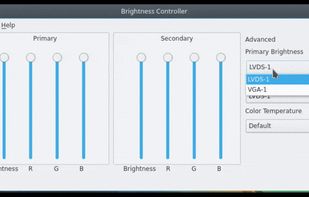
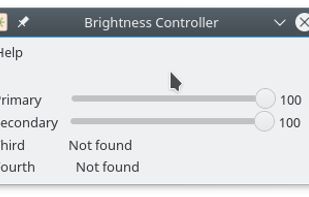
Brightness Controller allows you to software control Brightness, R, G and B of your Primary and Secondary Display in Linux.
Cost / License
- Free
- Open Source
Application type
Platforms
- Linux
- Python


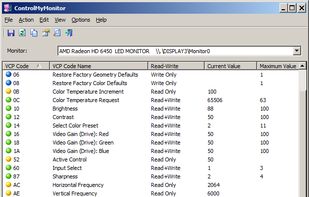
ControlMyMonitor allows you view and modify the settings of your monitor (Also known as 'VCP Features'), like brightness, contrast, sharpness, red/green/blue color balance, OSD Language, Input Port (VGA , DVI , HDMI ) and more...
Cost / License
- Free
- Proprietary
Platforms
- Windows
 Israel


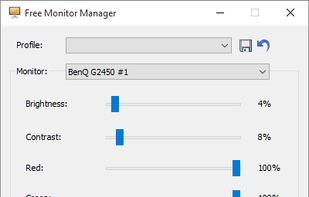
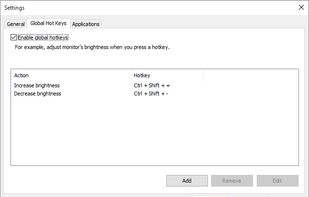
Free Monitor Manager lets you easily change your monitor's brightness, contrast and colors.
Cost / License
- Freemium
- Proprietary
Platforms
- Windows

 47 Night Shift: Blue Light Filter alternatives
Do you use your mobile phone after sunset? Do you use your phone within three hours of your bed time? If yes, then your device might be taking your sleep away. Bluelight from your mobile screens sends a signal to brain to wake up, and makes it difficult for us to sleep at night.
Cost / License
- Free
- Proprietary
Application type
Platforms
- Android
- Android Tablet