Ease of use: Installing programs using Installer-SH does not require root privileges by default. Root privileges may be required when installing software for all users.
Easy management: Installed applications can be easily removed at any time.
Reliability: The installation package contains several independent data integrity checks.
Independence: you can distribute and install software without an internet connection.
Isolation: The default format stores configuration files and other junk generated during software use in a separate directory next to the program. It's also possible to switch to the classic mode, using the user's home directory for storing configuration files.
Portability: You can easily make a backup copy of the program with all settings and data (menu shortcuts are not saved) if it was installed in standard mode with the configuration files moved to a dedicated directory.
Compatibility: The installation package does not require any specific dependencies or system libraries. Basic system utilities such as bash, tar, and Coreutils are required.
Multiplatform: A single installation package can install the program on various Linux and FreeBSD distributions.
Multi-architecture: A single installation package can install the program on distributions of different architectures (x86, x86_64, amd64, aarch64, and others).
Different versions: Installer-SH can install different versions of the same program on the same system.
Flexible: Depending on the needs, the software developer or packager can customize the installation package as required.
Specifications: For maximum compatibility and convenience, the installation format complies with the PortSoft (https://github.com/Shedou/PortSoft) and XDG Desktop (https://specifications.freedesktop.org) specifications.
Self-sufficiency: Installer-SH can independently prepare the necessary foundation for further work in accordance with specifications.
Compression formats: By default, the most compatible compression format tar.xz is used, but at the discretion of the packer, the much more powerful 7-Zip format can be used to compress the program.
Silent Mode: You can perform a bulk installation of multiple programs in Installer-SH format using the "-silent" parameter.
Help: You can run "installer.sh" with the "-h" parameter for help with additional usage options. Also, please refer to the developer instructions in the README file in the installer directory if you plan to package your application in Installer-SH format.
Note: It is recommended to use the latest versions of the format when creating new software installation packages. Multiplatform and multiarchitecture support in a single package begins with Installer-SH 2.8. FreeBSD support begins with Installer-SH 2.6. Silent mode support begins with Installer-SH 2.3. Isolation may not solve all the problems of very poorly designed software. Software compatibility depends on the software developer, not the installation package.






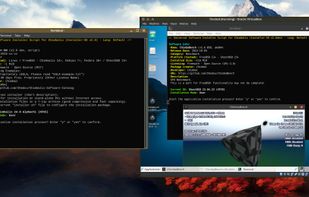


 Chimbal added Installer-SH as alternative to AppImageKit, Flatpak, Snapcraft and Flathub


