





iPano360 Stitcher
Like
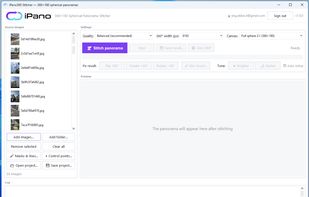
Combines overlapping camera or drone photos into equirectangular 360° panoramas. Auto alignment and multi-band blending use manual points, masks and line constraints, plus exposure correction, AI gap cleanup, editing, 360° preview, GPano export and tour upload.

Cost / License
- Freemium (Subscription)
- Proprietary
Application type
 EU
EUPlatforms
- Windows
- Android


Features
iPano360 Stitcher News & Activities
Highlights All activities
Recent activities
- Fla updated iPano360 Stitcher
- abbasalbukhari added iPano360 Stitcher
- Fla updated iPano360 Stitcher
 abbasalbukhari added iPano360 Stitcher as alternative to Hugin, AutoStitch Panorama, PanoramaStudio and Enblend/Enfuse

iPano360 Stitcher information
Developed by
 iPano360
 Licensing
Proprietary and Freemium product.Pricing
Subscription that costs $5 per month + free version with limited functionality.Alternatives
17 alternatives listedBadge
Get an embeddable badge for iPano360 StitcherSupported Languages


No comments or reviews, maybe you want to be first?
