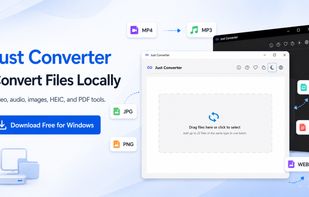
Just Converter is a local-first file converter for Windows built for users who want broad format support, practical batch tools, and a clean desktop workflow.
The app is designed to handle common conversion tasks across video, audio, images, documents, and PDFs without relying on browser-based converter websites for standard use. Typical workflows are processed locally on the user's device, which makes Just Converter a better fit for private documents, work files, and users who prefer an offline-capable desktop app.
Main capabilities include:
- video conversion
- audio conversion
- audio extraction from video
- image conversion
- document conversion
- PDF conversion
- PDF merge and split
- PDF page export to image formats
- image-to-PDF workflows
- batch conversion with file ordering and naming tools
Just Converter also includes practical quality-of-life features such as drag and drop support, adding more files after the initial selection, custom output names, batch naming patterns, recent output folders, and remembered last-used settings when they are still valid.
For PDF and image workflows, the app supports exporting PDF pages as separate image files, packaging PDF page exports into a ZIP archive, combining multiple images into a single PDF, generating a separate PDF for each image, merging multiple PDFs into one file, and splitting a PDF into individual pages.
The interface is multilingual and currently supports English, Turkish, German, French, Spanish, Portuguese, Italian, Arabic, Chinese, Japanese, Korean, Hindi, Indonesian, Russian, Hebrew, and Vietnamese.
Just Converter is intended for users looking for a private, offline-capable Windows file converter that can handle media, document, image, and PDF workflows in a single desktop application.








 osenpa added Just Converter as alternative to File Converter, Shutter Encoder, XMedia Recode and HandBrake


