





KlikSync
1 like
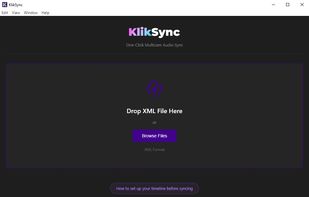
KlikSync automatically syncs multicam footage by audio waveform, with no timecode, clapper, or manual alignment required. It is built for professional video editors working in Adobe Premiere and DaVinci Resolve.

Cost / License
- Pay once
- Proprietary
Application type
Platforms
- Mac
- Windows

Features
KlikSync News & Activities
Highlights All activities
Recent activities
- ThereIsNoNick added Lightweight as a feature to KlikSync
- ThereIsNoNick liked KlikSync
- ThereIsNoNick added KlikSync
- ThereIsNoNick updated KlikSync
 ThereIsNoNick added KlikSync as alternative to PluralEyes, Syncaila, SyncLab and Woowave DreamSync


KlikSync information
Developed by
 www.video-editor.com
 Licensing
Proprietary and Commercial product.Pricing
One time purchase (perpetual license) that costs $59.Alternatives
4 alternatives listedBadge
Get an embeddable badge for KlikSyncSupported Languages
AlternativeTo Category
Video & Movies

No comments or reviews, maybe you want to be first?