





Launchie
5 likes
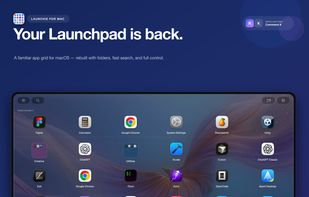
Lightweight macOS launcher replacing lost Launchpad grouping and icon rearrangement from macOS 26, with customizable shortcuts, smart search, drag-and-drop, folder support, visual customization, backup and restore, quick close, and a Pro version with extras.

Cost / License
- Freemium (Pay once or Subscription)
- Proprietary
Application type
 EU
EUPlatforms
- Mac


Features
Launchie News & Activities
Highlights All activities
Recent News
No news, maybe you know any news worth sharing?
Share a News TipRecent activities
- Nick-Friedrich updated Launchie
 UniqueGo added Launchie as alternative to BuhoLaunchpad
- Danilo_Venom updated Launchie
 Danilo_Venom added Launchie as alternative to Quick App Launcher
 HirschStudio added Launchie as alternative to LaunchDeck LaunchPad
 Punshnut added Launchie as alternative to Launchy Launchpad


Launchie information
Developed by
 Nick Friedrich
 Licensing
Proprietary and Freemium product.Pricing
One time purchase that costs $15, and / or subscription ranging between $1 and $2 per month + free version with limited functionality.Alternatives
17 alternatives listedBadge
Get an embeddable badge for LaunchieSupported Languages


Comments and Reviews
Thanks for the product! I miss this feature in the new macOS.