Launchy - App Launcher AlternativesApplication Launchers and other similar apps like Launchy - App Launcher

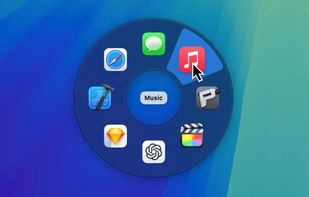
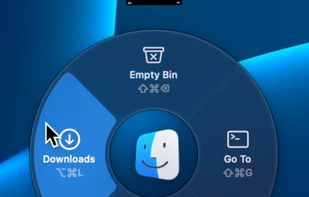
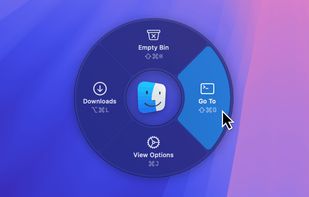
Launchy - App Launcher is described as 'Customizable macOS launcher with a radial menu, keyboard shortcuts, drag-and-drop app palettes, advanced app control, visual app statuses, and iCloud sync' and is a application launcher in the os & utilities category. There are more than 10 alternatives to Launchy - App Launcher for Mac, Windows, Linux, Flathub and Flatpak. The best Launchy - App Launcher alternative is Pieoneer. It's not free, so if you're looking for a free alternative, you could try Kando or Pie Menu. Other great apps like Launchy - App Launcher are Radial, Radiant Menu Launcher, Ctrl Deck and Charmstone.

Copy a direct link to this comment to your clipboard
Launchy - App Launcher alternatives page was last updated

Alternatives list

  1. Pieoneer icon
     6 likes

    Switch and launch Mac applications efficiently using a pie menu interface with dark mode, customizable shortcuts, and instant access to running or favorite apps. Interface floats above windows, optimizing workflow for both efficiency and visual organization.

    Cost / License

    • Paid
    • Proprietary

    Application type

    Platforms

    • Mac
     
  2. Kando icon
     16 likes

    Kando offers an unconventional, fast, highly efficient, and fun way of interacting with your computer! You can use it to run commands, execute macros, open files, and much more.

    17 Kando alternatives

    Cost / License

    • Free
    • Open Source

    Application type

    Platforms

    • Mac
    • Windows
    • Linux
    • Flathub
    • Flatpak
     
  3. Radial icon
     2 likes

    Create powerful macros, trigger them with a gesture. Turn repetitive workflows into single actions at your cursor. The radial menu for macOS productivity.

    Cost / License

    • Paid
    • Proprietary

    Application type

    Platforms

    • Mac
     
  4. Radiant is a menu launcher for macOS that lets you organize shortcuts into radial and list menus, then run them across any application.

    Cost / License

    • Paid
    • Proprietary

    Platforms

    • Mac
     
  5. Pie Menu icon
     3 likes

    Introducing the all-new radial menu app that revolutionizes the way you work on your device! With Pie Menu, you can customize shortcuts for every app, making your life easier and more organized.

    Cost / License

    • Freemium
    • Proprietary

    Platforms

    • Mac
     
  6. Ctrl Deck icon
     2 likes

    Visual panel for Windows offering a centralized way to launch applications, open files and folders, run commands, access workflow actions, and keep shortcuts organized in one interface. Includes a free version with limited shortcuts and optional one-time upgrade.

    11 Ctrl Deck alternatives

    Cost / License

    • Freemium
    • Proprietary

    Platforms

    • Windows
     
  7. Charmstone icon
     1 like

    The quicker switcher launcher for macOS.

    Cost / License

    • Freemium
    • Proprietary

    Application type

    Platforms

    • Mac
     
  8. RadialMenu icon
     4 likes

    RadialMenu is Wacom-like toolbar for TabletPC digital artists.

    Cost / License

    • Free
    • Proprietary

    Platforms

    • Windows
     
  9. Luncher icon
     3 likes

    Luncher is a simple Windows application and file launcher. It allows you to setup buttons that act as shortcuts to open any application, file or folder. Luncher appears as a small panel on the top of the screen that is always easily accessible.

    60 Luncher alternatives

    Cost / License

    • Free
    • Proprietary

    Application type

    Platforms

    • Windows
     
  10. Easily launch and switch between macOS apps while staying focused on your work. Orbital lets you manage your Mac apps with an orbiting dock that appears next to your work, on command.

    Cost / License

    • Paid
    • Proprietary

    Application type

    Platforms

    • Mac
     
  11. Multi Dock icon
     1 like

    MultiDock is a simple application that allows you to organize frequently used applications, documents and folders using small panels (Dock’s).

    Cost / License

    • Paid
    • Proprietary

    Application type

    Platforms

    • Mac
     
12 of 18 Launchy - App Launcher alternatives