Main Menu was added to AlternativeTo by libre-menu-editor on and this page was last updated .
No comments or reviews, maybe you want to be first?
Official Links
AppStores & Other Links
What is Main Menu?
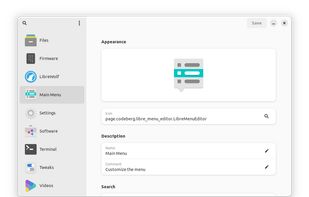
Customize the menu
This program lists all application launchers that are installed on your system. You can then use a clean, modern, and intuitive interface to customize the main menu to your liking.
The following features are included:
set launcher-icons to a specific file or icon-name
search through icons of your installed icon-theme
add and remove search-keywords
make launchers execute a specific file or command
convert entered weblinks into valid commands
change launcher names and comments
create, edit, and remove launcher-actions
show or hide launchers in the main menu
change the launcher's menu-categories
enable or disable launcher's startup-animations
show a terminal-window when executing launchers
change advanced settings with your default text-editor
reset launchers back to their default states
create and delete custom launchers
use search to find your launchers in the sidebar
show hidden launchers in the sidebar
open .desktop files through the app-menu, the file-manager, or via drag-and-drop
install .desktop files to the desktop-environment's application menu
use the application on any freedesktop.org compliant desktop-environment