


Link Grabber Pro
π Meet Link Grabber β The Smartest Way to Capture & Manage Web Links
Cost / License
- Freemium (Pay once)
- Proprietary
Platforms
- Google Chrome
Link Grabber Pro News & Activities
Recent activities
TheCoolΒ added Link Grabber Pro as alternative to SneakyLinksFinder
Link Grabber Pro information
What is Link Grabber Pro?
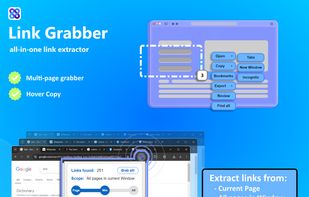
π Meet Link Grabber β The Smartest Way to Capture & Manage Web Links Tired of wasting hours manually collecting URLs? Our Chrome extension automates link extraction so you can focus on what matters.
? Why Professionals Love Link Grabber:
? Lightning-Fast Extraction
- Grab hundreds of links in seconds with one click β works on any webpage
- Select specific page sections or scan entire sites with equal ease
? Enterprise-Grade Export Options
- Save to CSV/Excel with full link metadata (URL, anchor text, nofollow status)
- Copy to clipboard, bulk bookmark, or open tabs in controlled batches
? Advanced Filtering
- Remove duplicates automatically
- Exclude internal links or filter by domain/keyword
? Multi-Page Superpowers
- Extract across all open tabs simultaneously
- Perfect for site-wide audits or large research projects
? Customizable Workflow
- Set custom hotkeys (change from Ctrl+C to your preferred shortcut)
- Adjust popup button sizes for better visibility
- Enable incognito mode for sensitive research
πΌ Who Needs This?
πΈ SEO Specialists
- Backlink analysis
- Broken link checking
- Competitor research
πΈ Digital Marketers
- UTM tag collection
- Social media mention tracking
- Lead list building
πΈ Researchers & Developers
- Academic reference gathering
- API endpoint collection
- Documentation scraping
? Real-World Use Cases:
- Extract all external links from a Wikipedia page in 2 clicks
- Compile every product URL from an e-commerce category
- Find broken links on your site (use with Screaming Frog for full audits)
- Track all brand mentions across news sites
π§ Pro Tips:
- Enable "hover copy" (Ctrl+C over links) for rapid single-URL collection
- Use "open delay" (1-5 sec) to prevent server overload when mass-opening tabs
- Create a blocklist to avoid accidental scraping on banking/private sites
π Getting Started is Simple: 1?? Add to Chrome (30-second install) 2?? Click the icon on any webpage 3?? Choose your extraction mode 4?? Export or process your links
π¬ Happy Users Say: "This paid for itself in one client report!" β SEO Consultant "My research assistant quit... because this does it all." β University Professor
π Try Risk-Free Today β Your productivity will thank you!


